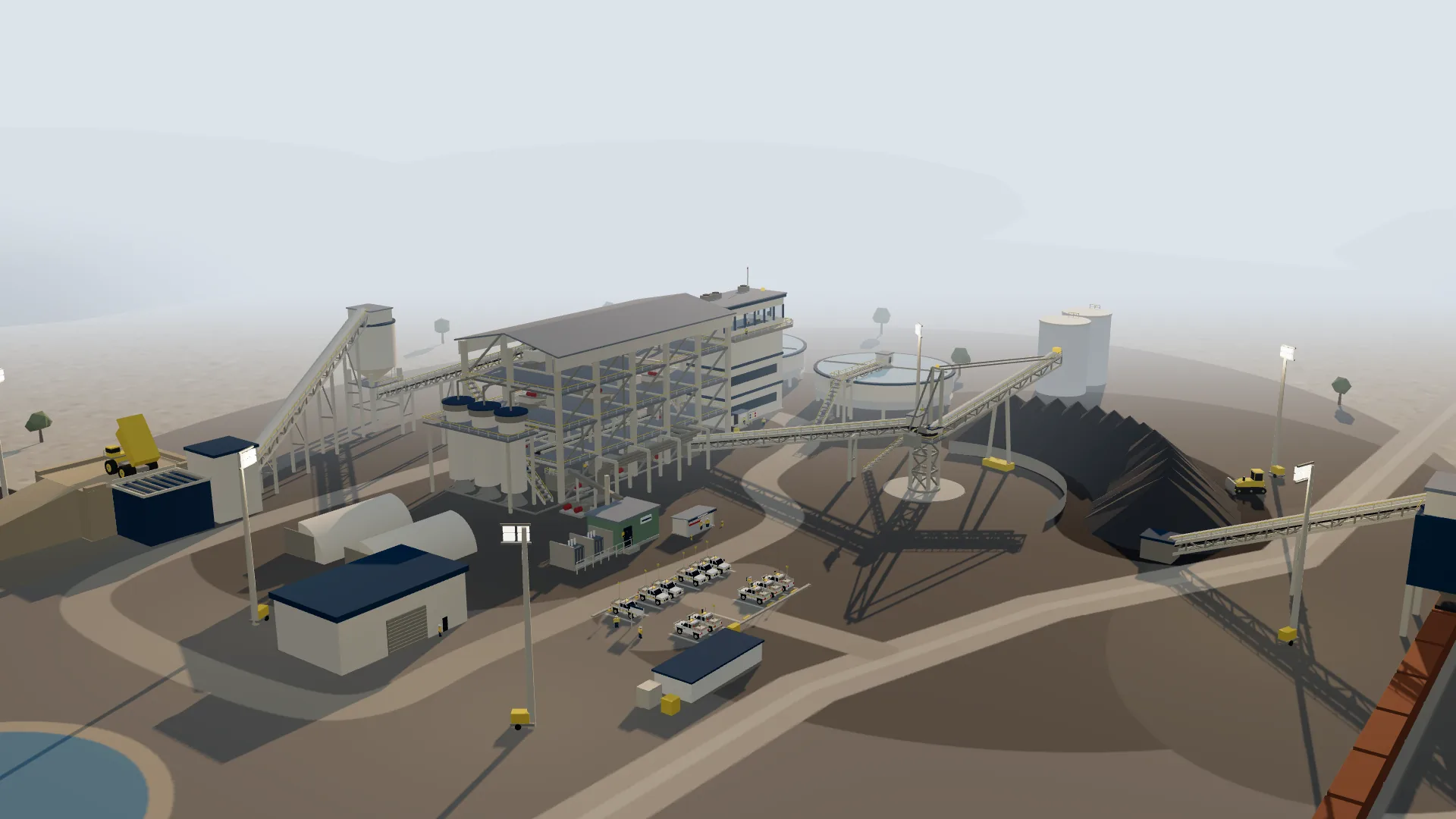
A coal prep plant at dawn: the ROM stockpile and crusher, the overland conveyor, the plant with its lit control room, the thickener, product stockpiles and a train being loaded

Made in Emerald by Bottletree Technology

The paperwork a mine site runs on, on the phone in your pocket.

Prestarts, Take 5s and checklists from a QR code. The control room's shift log. Permits and isolations. Three Site Safe apps, one login, built in the Bowen Basin for the way a site actually works.

Scroll to walk the site

Site Safe Forms

The prestart lives on the dash now.

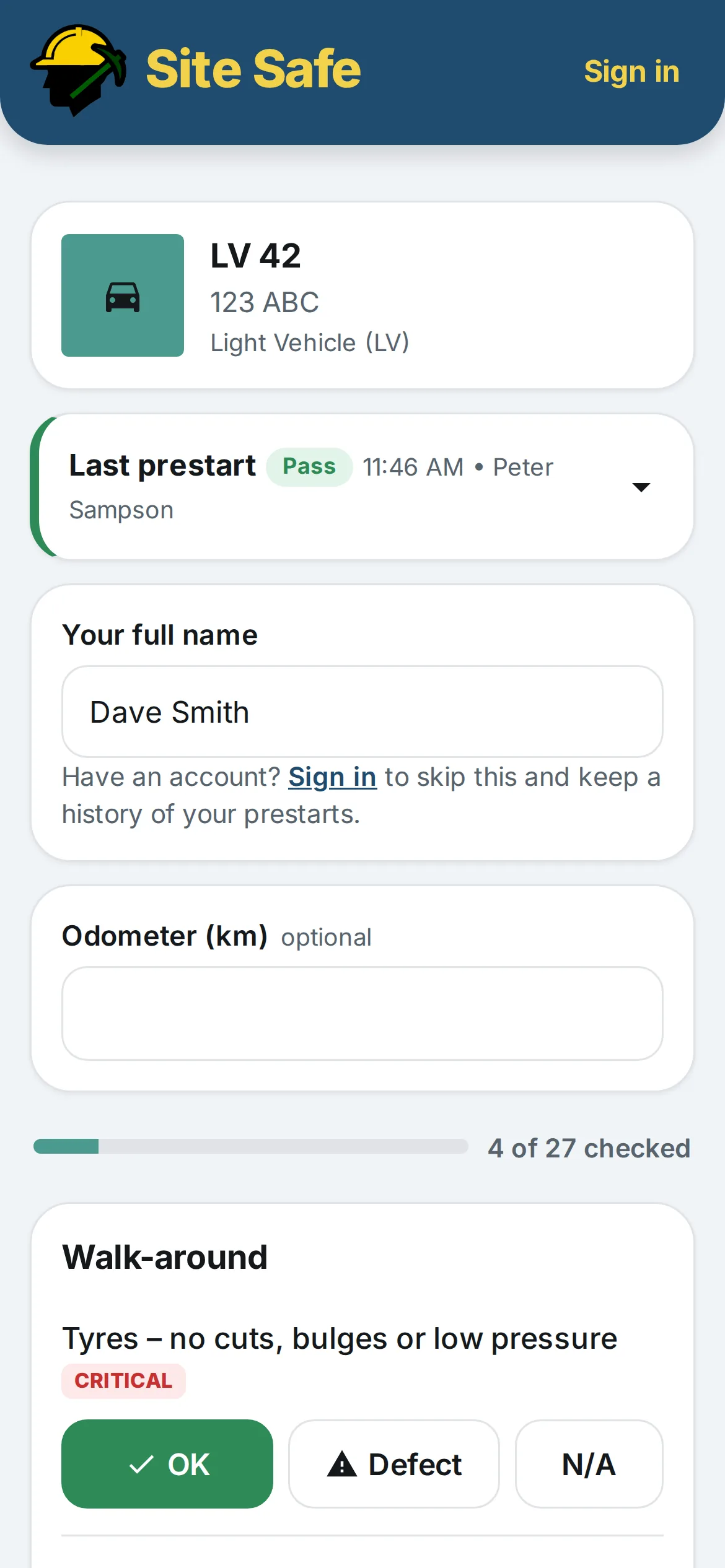
A QR tag in every vehicle. Whoever is driving scans it, does the prestart on their phone, and the record is in your inbox before they're out of the car park. Take 5s and checklists work the same way.

Explore Forms
A vehicle prestart on a phone, with OK, Defect and N/A buttons
shiftlog.site-safe.com.au
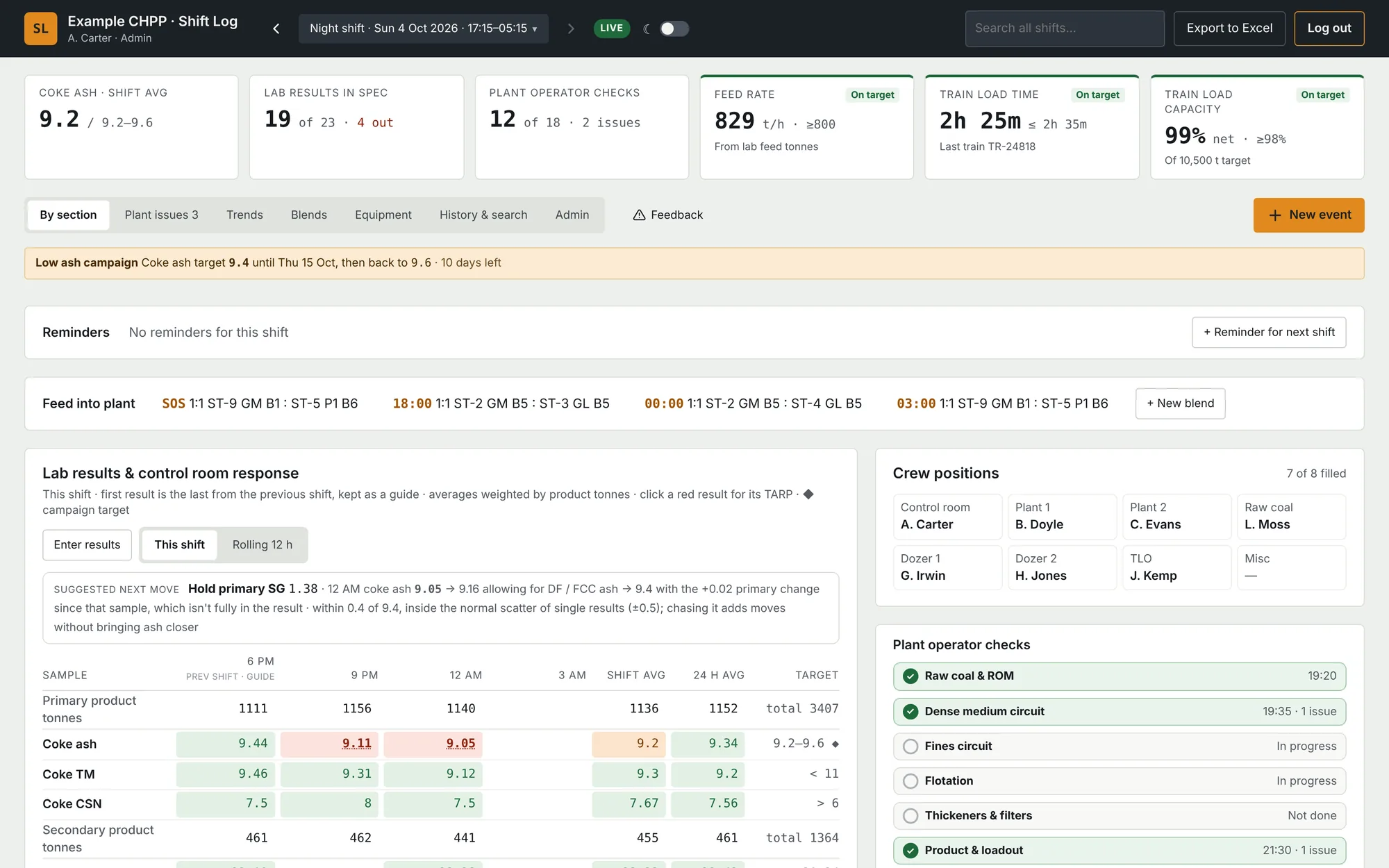
Site Safe Shift Log on the control room screen: lab results against targets with the control room's changes under each sample

Site Safe Shift Log

Hand over a shift, not a spreadsheet.

Lab results arrive from the lab's email. Every control room change sits under the result it answered. The next crew starts with the whole shift on the big screen.

Explore Shift Log

Site Safe Isolations Early access

Every lock on, with proof.

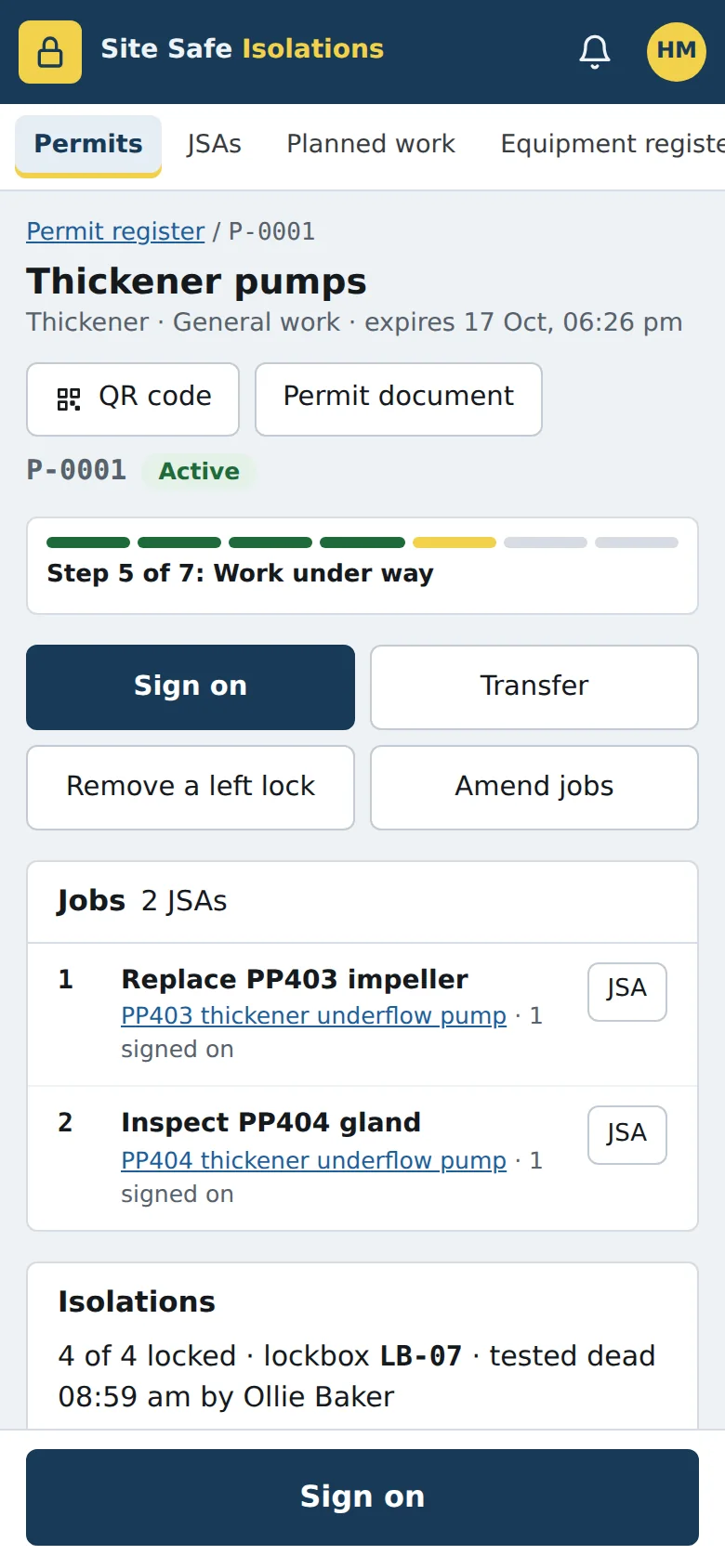
Permits are written from the JSA, issued and tracked on a computer in the permit office. Out at the plant, the phone proves every lock: scan the point, photograph the lock, and crews sign on by scanning the permit.

Explore Isolations
An active isolation permit on a phone: step 5 of 7, jobs, isolations, and a Sign on button

Site Safe Forms

The prestart lives on the dash now.

A QR tag in every vehicle. Whoever is driving scans it, does the prestart on their phone, and the record is in your inbox before they're out of the car park. Take 5s and checklists work the same way, on a QR code where the job is done.

No accounts for drivers
The phone camera opens the form. Nothing to install, nothing to roll out.
Defects that stop the vehicle
A critical defect fails the prestart and tags the vehicle out until it's fixed.
Works with no signal
Forms save on the phone and send themselves when signal comes back.
Reports and a compliance pack
Completion by site, vehicle and shift, repeat defects, what's still open, and one PDF for the auditor.
Checklists on the wall
Area inspections, check rounds and equipment checks, each on its own QR code.
A team with roles
Owner, admin, editor and view-only. Add a whole fleet from a spreadsheet and print the tags in one go.
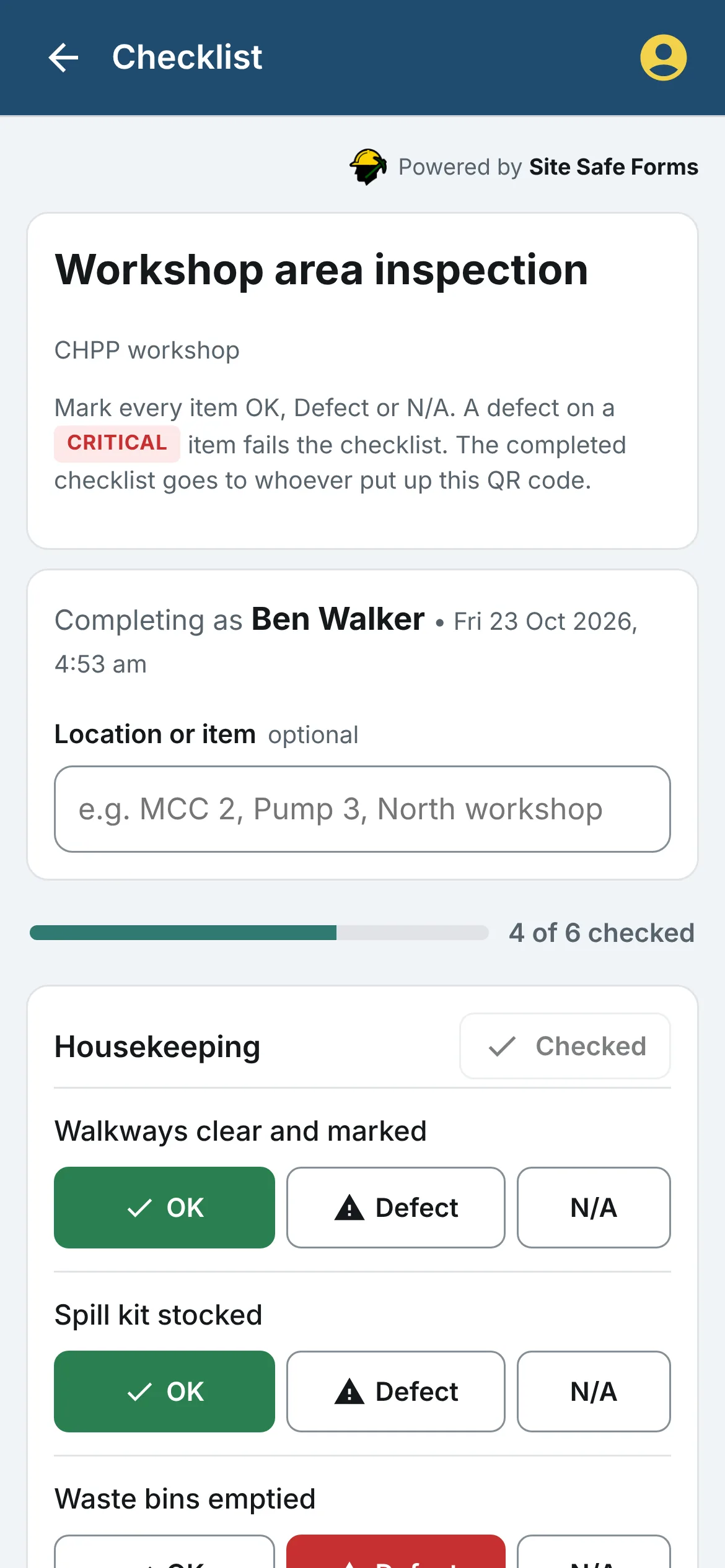
A workshop area inspection checklist on a phone
A vehicle prestart on a phone, with OK, Defect and N/A buttons
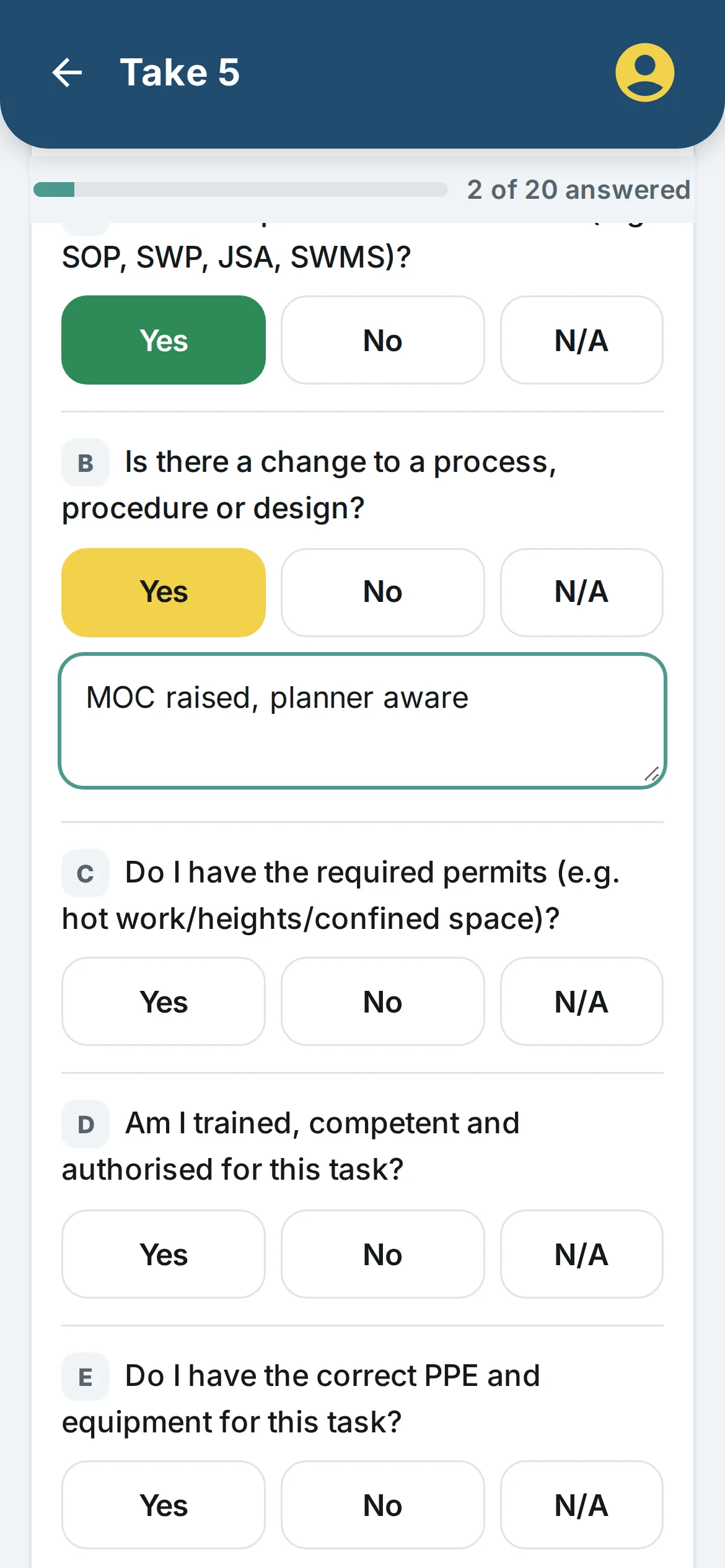
A Take 5 on a phone
site-safe.com.au/reports
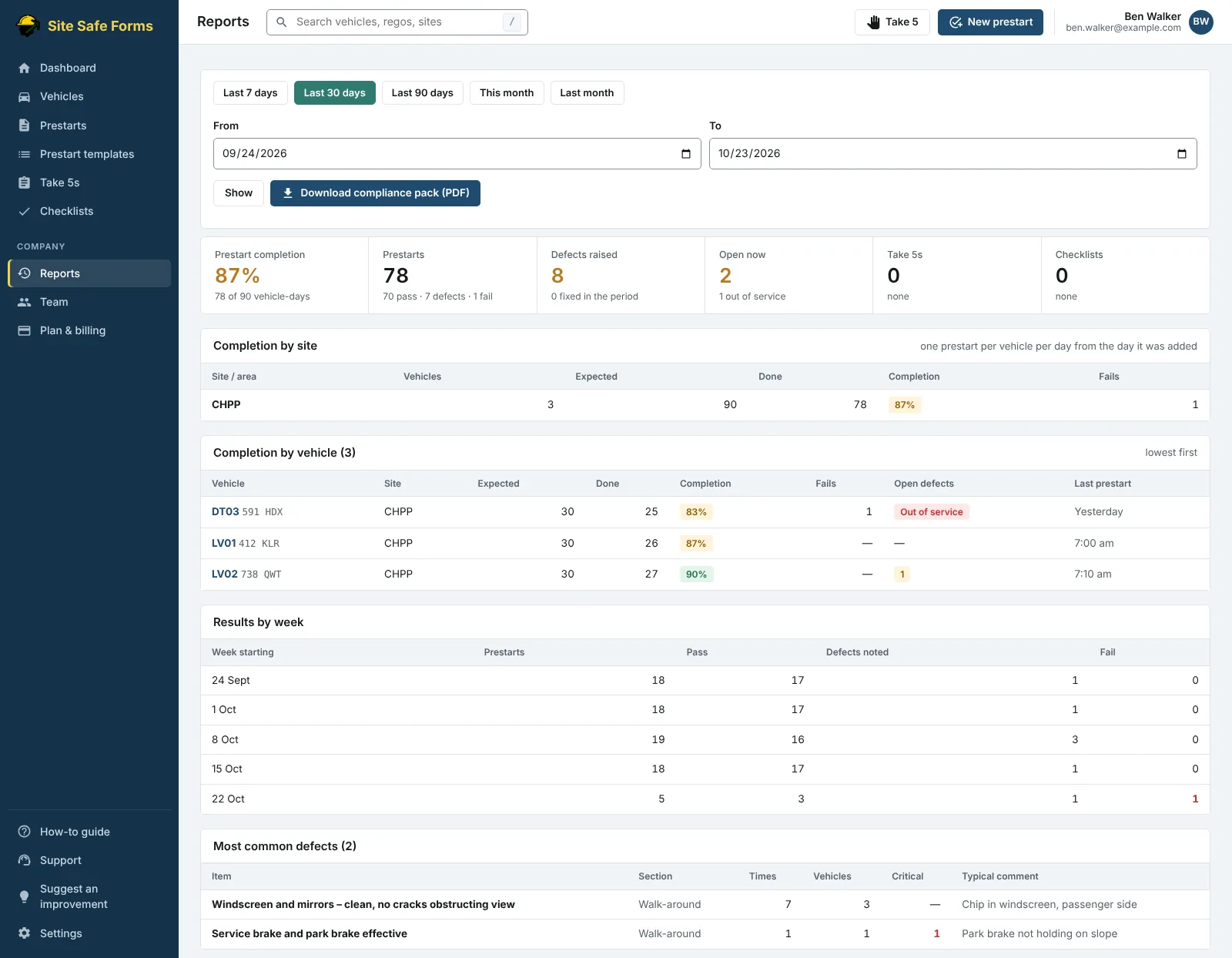
The Site Safe Forms Reports page: prestart completion, prestarts, defects raised and open now, completion by site and by vehicle, results by week and the most common defects, with a Download compliance pack button

Site Safe Shift Log

Hand over a shift, not a spreadsheet.

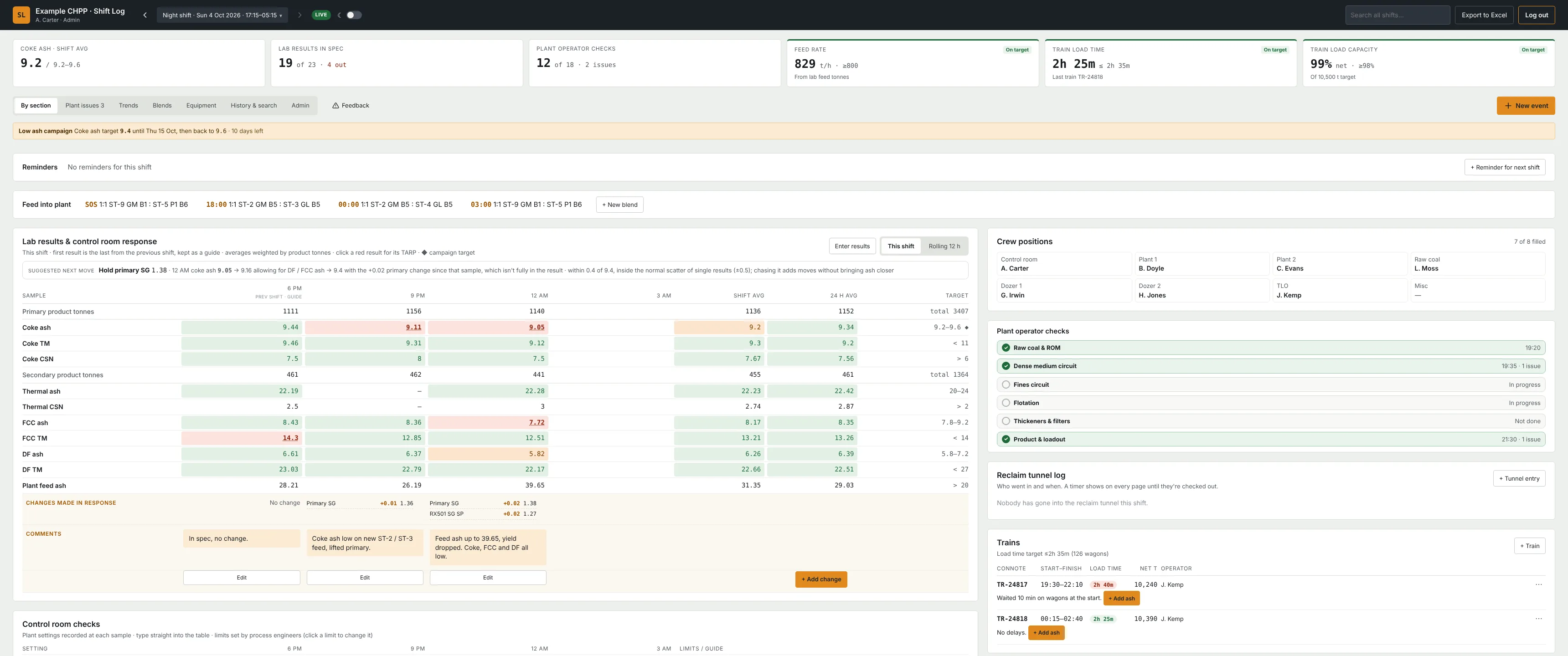
The coal prep plant's shift log, built to fill the control room's ultra-wide screen. Lab results arrive from the lab's email, every control room change sits under the result it answered, and the next crew starts with the whole shift in front of them. Prestarts and Take 5s done in Forms show on the shift page.

Site Safe Shift Log on an ultra-wide screen: KPI tiles, lab results coloured against targets with the control room's changes under each sample, crew positions, plant checks, trains and feed reductions
Lab results, read inFrom the lab's email, coloured against the target in force
Responses under each resultParameter, change and new value, with a suggested next move
Plant issues that stay putOn every shift's list until someone marks them fixed
Set up for your plantYour results, targets, check sheets, crew and reports

Site Safe Isolations Early access

Run permits from the office. Prove every lock at the point.

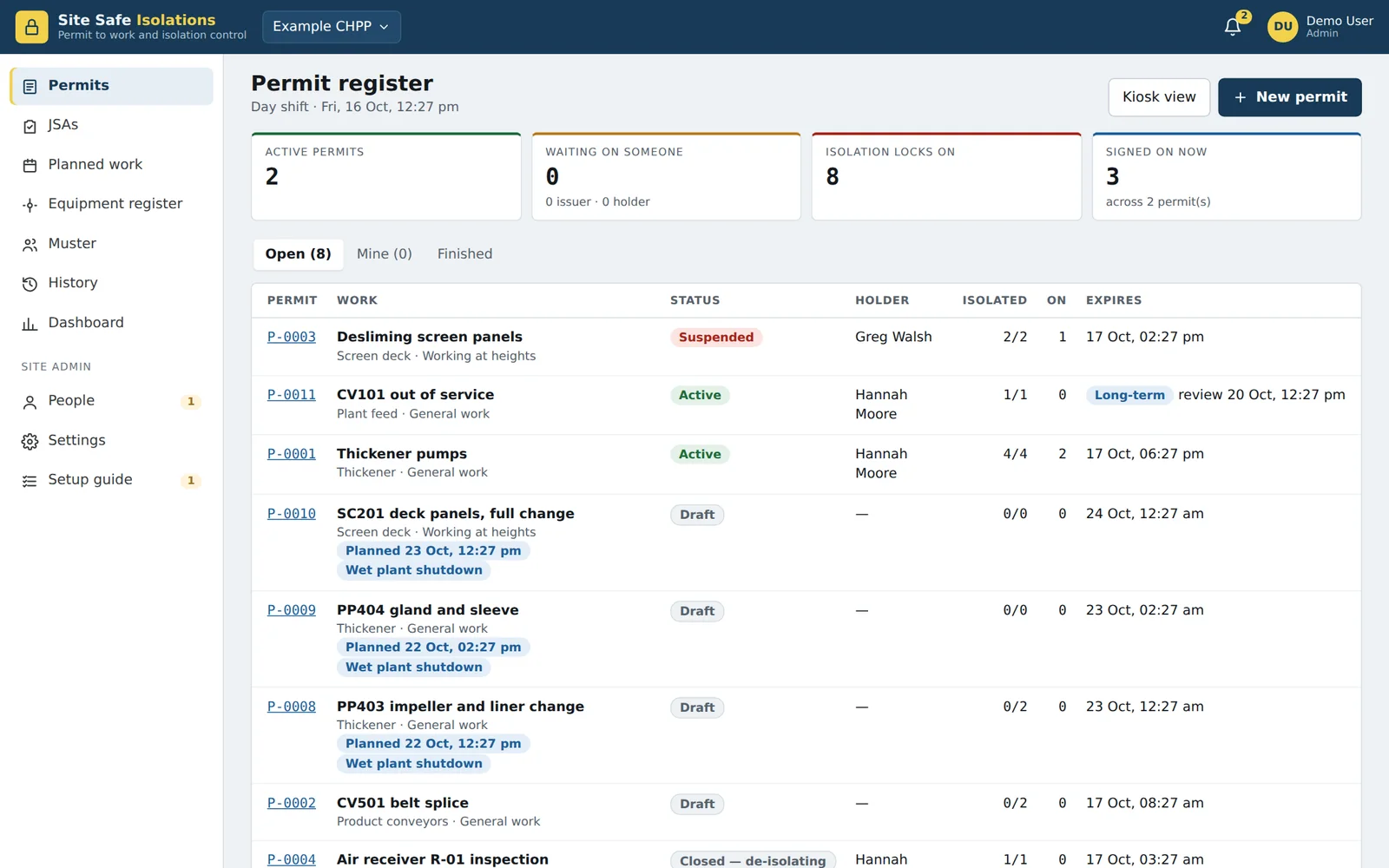
The permit office does the paperwork on a computer: permits built from the JSA, issued, accepted and transferred, the permit board and the equipment register. Out at the plant, the phone does what only a phone can: scan the isolation point, photograph the lock, sign on by scanning the permit, and get the call back. The app never writes a record itself: every step goes through our server, which checks the person's role and the isolation rules first.

Everyone on the job, always current
Workers scan the permit to sign on and again to sign off. Muster shows who's on which permit right now.
Isolations with proof
At each point the isolation officer scans its label and photographs the lock, so the record shows the right lock on the right point. Test for dead and a second-person check are steps, not tick boxes.
Two permits, one point
A point already locked under another live permit is flagged, and nobody can lift it while the other job is on.
Long-term isolations
Out-of-service equipment stays isolated without an expiry, with a review by an isolation officer on a schedule.
Call backs and knock-off reminders
A call back reaches everyone on the permit by app, push and text, and a reminder before shift end tells anyone still on to sign off and remove their locks.
Records you can keep
Every permit as a PDF with its photos, plus spreadsheets, in one download. Yours for as long as you must keep them.

isolations.site-safe.com.au
The Site Safe Isolations permit register on a computer: active permits, waiting on someone, isolation locks on, signed on now, and the list of open permits with their status and holder
An active isolation permit on a phone: step 5 of 7, jobs, isolations, and a Sign on button
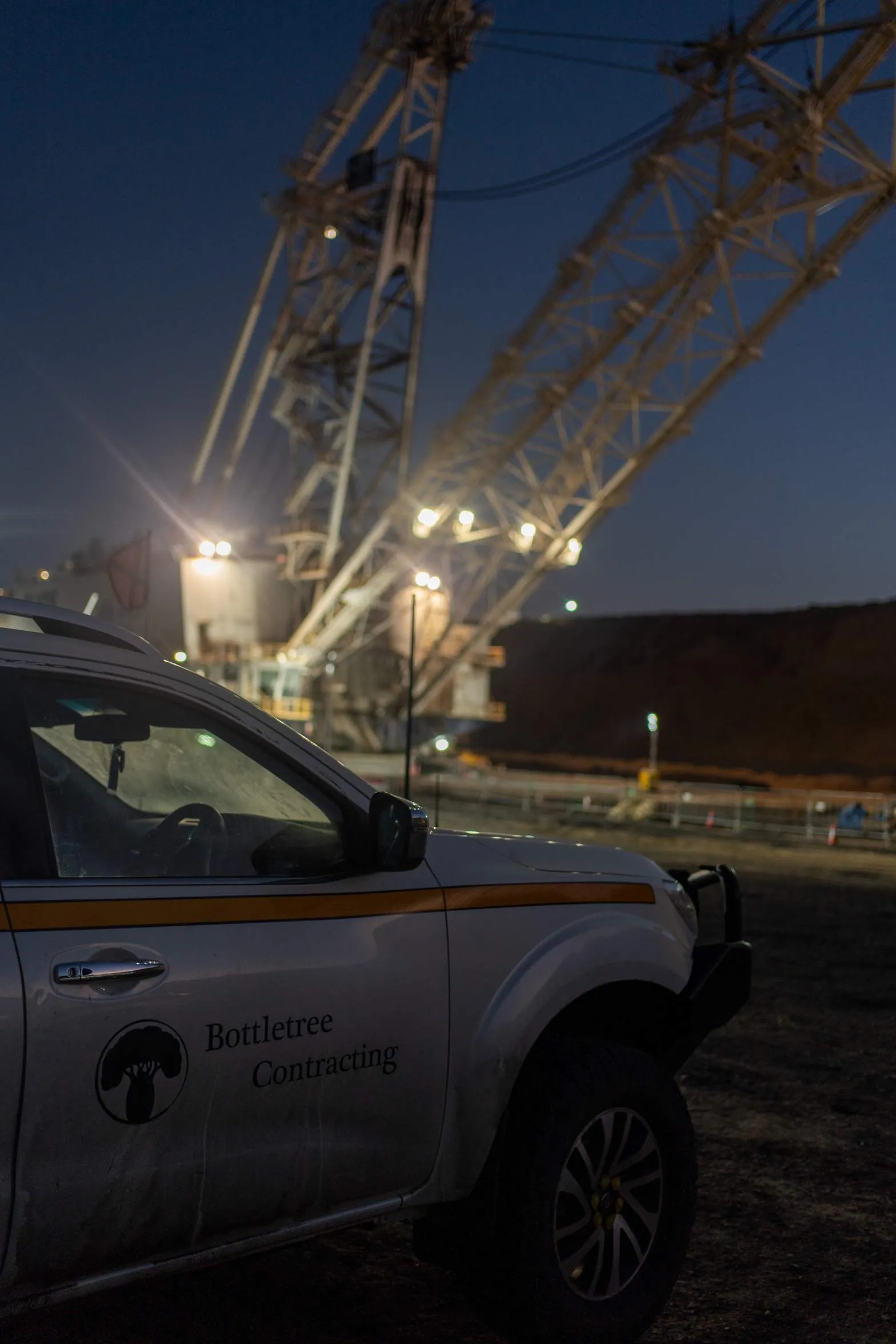
A Bottletree Contracting ute parked in front of a dragline lit up at dusk

Built by someone who still does the prestart.

Site Safe is made by Bottletree Technology in Emerald, designed by a CHPP operator and fitter with more than ten years on Bowen Basin sites. The forms are the ones that get filled in at 5 am, the shift log is the one the control room actually keeps, and the permit runs the way the isolation officer runs it.

Questions, set-up or a demo: email admin@site-safe.com.au.

Built for site, not for an office somewhere.

One Site Safe login

One account signs you in to Forms, Shift Log and Isolations, with your company's Microsoft or Google sign-in if you have one. Each app keeps its own plan and its own team.

QR codes, not rollouts

Put the code where the work is. Workers scan with whatever phone they have.

Made for weak signal

Forms work with no signal and send themselves later. Pages are built to load fast on one bar.

Your records stay yours

Kept in Google Cloud's Sydney region, backed up nightly and recoverable to any minute in the last 7 days. Download everything, any time.

Straight answers on security

Where the data is, who can see it, how we test and release: site-safe.com.au/security. Security reports are answered within 12 hours.

Built in Emerald

Made by Bottletree Technology, designed by a CHPP operator with more than ten years on site. Questions or a demo: admin@site-safe.com.au.

What it costs

Each app is priced for how it's used. Prices are in Australian dollars and include GST.

Site Safe Forms

$0 to start
One vehicle free, then from $25 a month for 5 vehicles. Priced per vehicle; drivers and your team are free.
Forms pricing

Site Safe Shift Log

Per site
Every plant is set up differently, so we quote after a walkthrough of your current shift log.
Book a demo

Site Safe Isolations

Per seat
Free during early access. Then per seat, with temporary seats for shutdowns.
Ask about early access