 Site Safe
Site Safe IsolationsEarly access
Permits run from the office. Every lock proven at the point.
The permit office runs it on a computer: permits built from the JSA, issued, accepted and transferred, the permit board, the register and the records. Out at the plant, the phone proves every lock: scan the point, photograph the lock, sign on by scanning the permit, and get the call back. Every step is checked by our server against the person's role and your isolation rules.
The demo is a sample shutdown day at an example plant, with made-up permits, isolations and crew. Switch roles to isolate, issue, accept and sign on. It runs in your browser and nothing is saved.
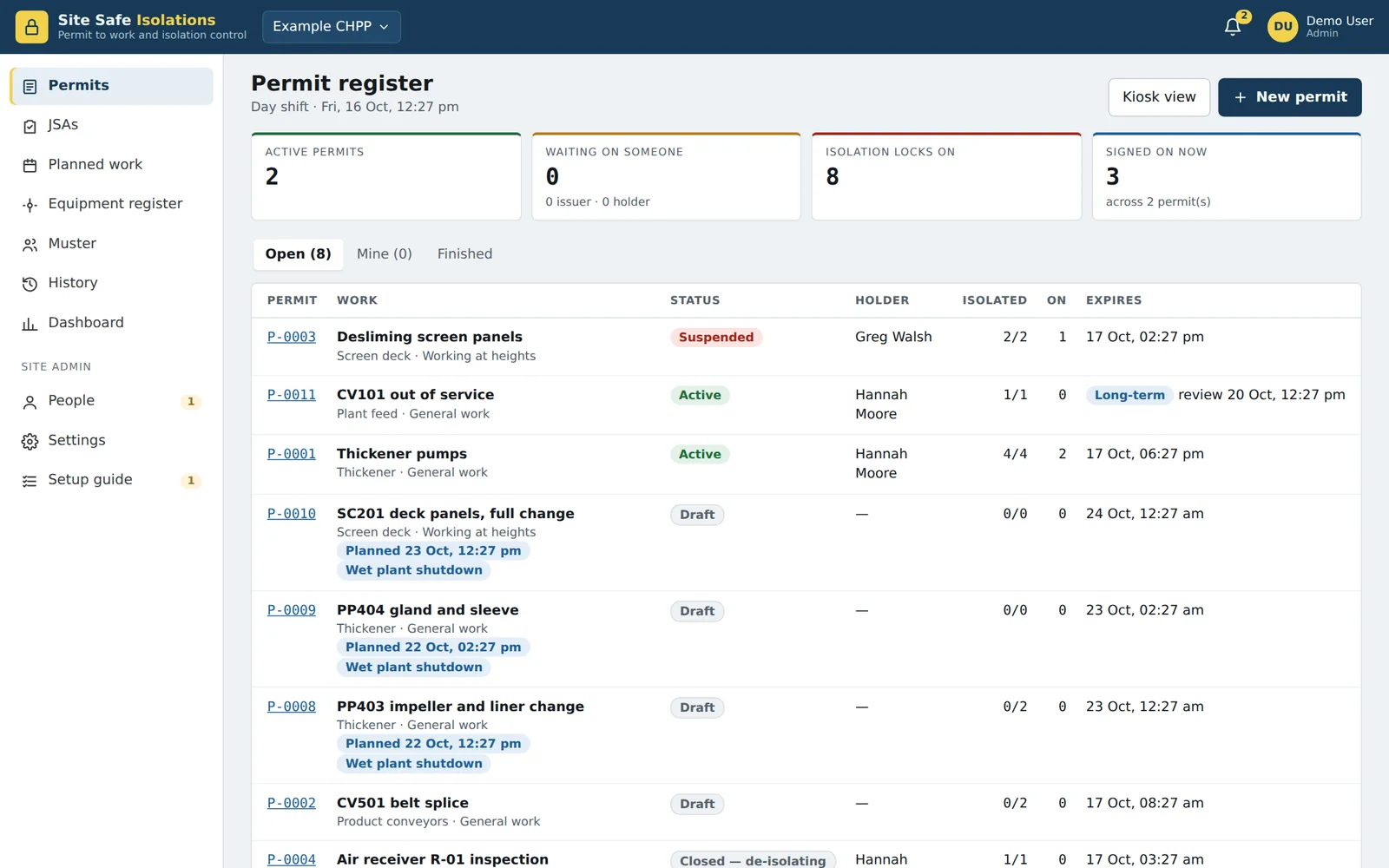
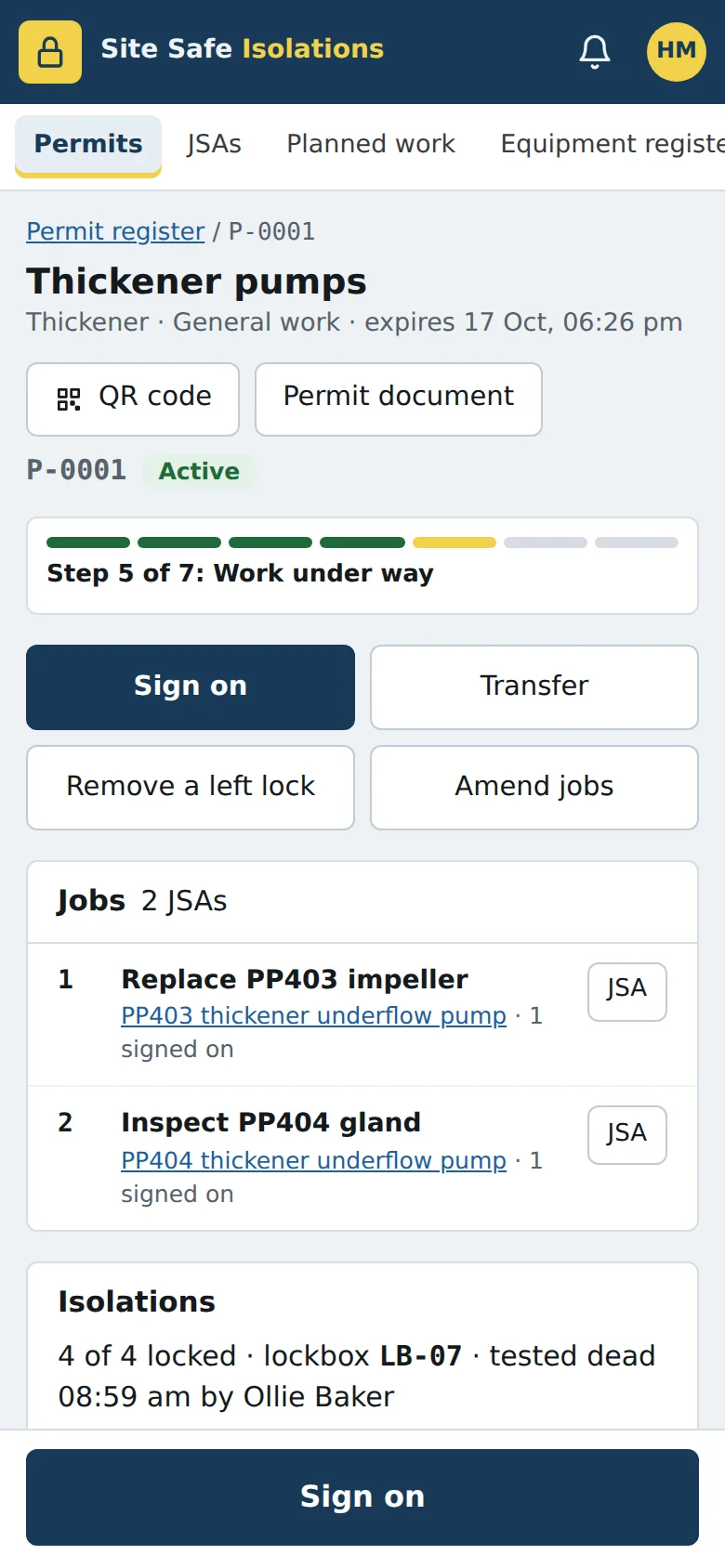
A permit through a day shift
How a permit runs from raising it to handing it over. Times are an example day shift.
Permit raised from the JSA
In the permit office, the permit is built on the computer from the job's JSA, so the hazards and controls the crew already worked through carry straight onto it.
Isolations go on
Out at the plant, the isolation officer works through the points on a phone: scan the QR label on each point and take a photo as the lock goes on, so the record proves the right lock is on the right point.
Tested dead, second check
A test for dead or try-start is recorded, and a second person checks the isolation. Both are steps on the permit, with names and times.
Issued and accepted
Back in the permit office, the permit issuer issues it and the permit holder accepts it, at the computer or on their phone.
Crew signs on
Each worker scans the permit's QR code to sign on, puts their personal lock on and signs the JSA on screen. Everyone on the permit is listed while the job is open.
An hour to go
An hour before shift end, everyone still signed on gets a reminder on their phone to sign off and remove their locks. A call back reaches the whole crew the same way.
Shift change
The permit is transferred to the incoming permit holder. Or, when the job is done, the permit is closed and the isolations come off in order, each with a photo.
At the desk
Most of the work happens in the permit office, on a computer: the paperwork, the board and the records. Built around the way permits already run on site, without the permit board and the sign-on sheet.
- Permits built from JSAs
- Start a permit from the job's JSA, so the hazards and controls are already on it when it goes to the permit issuer.
- Issue, accept and transfer
- Each step is done by the person responsible, in the permit office or wherever they are, and permits are transferred to the incoming shift at shift change.
- The permit board on screen
- Every live permit, what it's waiting on, the locks on and who's signed on, on one screen. The kiosk view puts the board on a screen in the crib room.
- The equipment register
- The plant as a tree, imported from a spreadsheet. Print QR labels for the isolation points and see every job and isolation an item has had.
- Two permits, one point
- A point already locked under another live permit, or equipment under two permits at once, is flagged on both. Nobody can lift a shared point while the other job is on.
- Long-term isolations
- Out-of-service equipment stays isolated without an expiry. An isolation officer reviews it on a schedule you set, with reminders and an overdue flag.
- Verified people, your roles
- An admin checks each person's swipe card before they can act on a permit. Each site sets its own roles and names.
- Records nobody can edit
- Permits and their history can't be edited or deleted from the app. Admin changes to settings, roles and people are logged with who made them.
- Records you can keep
- Download everything: every permit as a PDF with its photos and JSA signatures, the register's documents and spreadsheets, in one ZIP. Yours for as long as you have to keep them.
On the phone, at the point
The phone is for the jobs that have to happen out at the plant, where it's the only tool that can prove what was done and where.
- Scan the point, then lock it
- The isolation officer scans the QR label on each isolation point. With scan-to-lock on, a lock can only be recorded at the point it's on, so the record can't say the wrong breaker.
- A photo of every lock
- A photo as each lock goes on and comes off, with the lock number, the time and who did it.
- Sign on and off by QR code
- The permit has its own QR code. Workers scan it to sign on and scan again to sign off, so the list of who is on the job is always current, and muster lists them by area.
- Call backs that reach everyone
- A call back goes to every phone on the permit by app, push and text, and shows who has acknowledged it.
- Nobody left on at knock-off
- An hour before shift end, anyone still signed on is reminded on their phone to sign off and remove their locks.
- Join with a photo of your swipe card
- People join by scanning the site's QR code and photographing their swipe card for the admin to check.
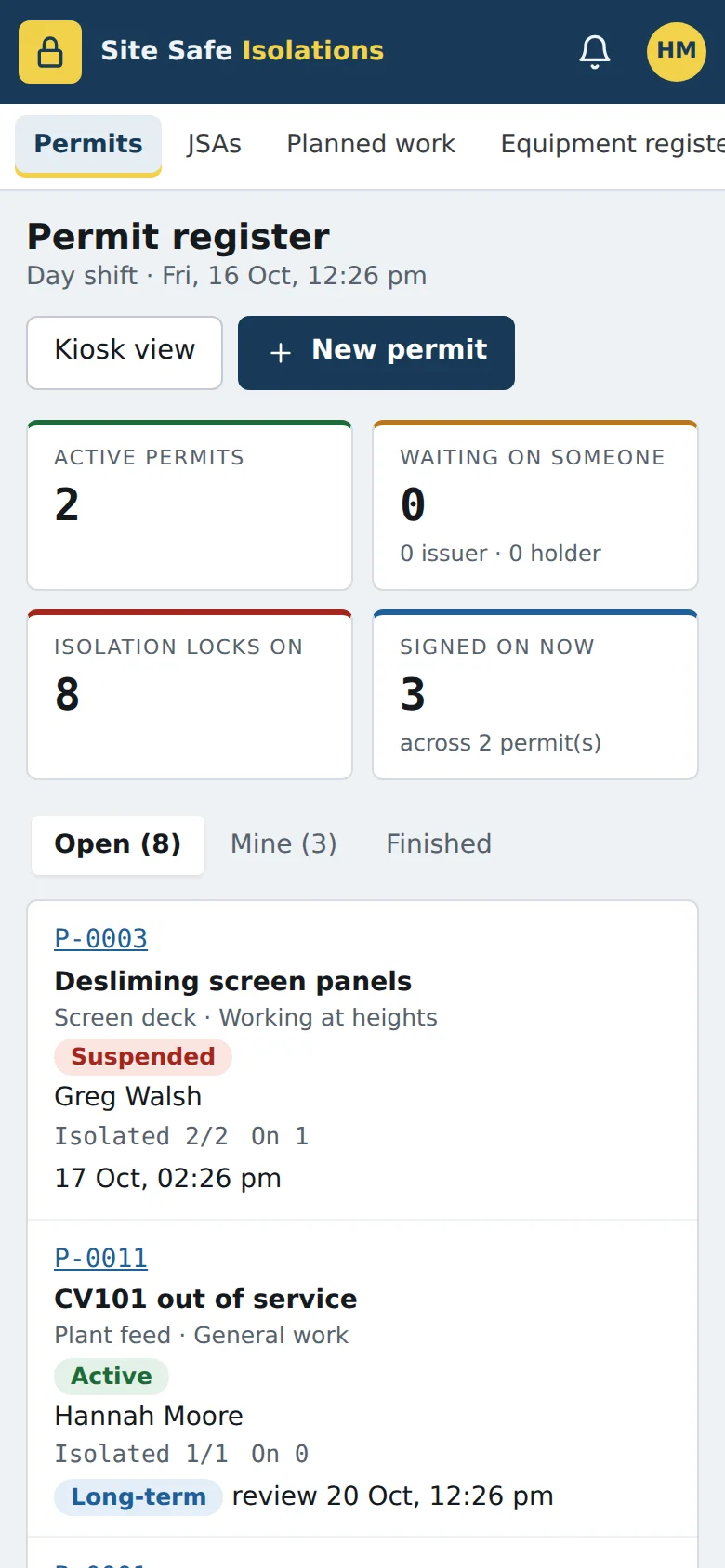
The register and the numbers
Everything a site admin or an issuer needs on a bigger screen, in the same app.
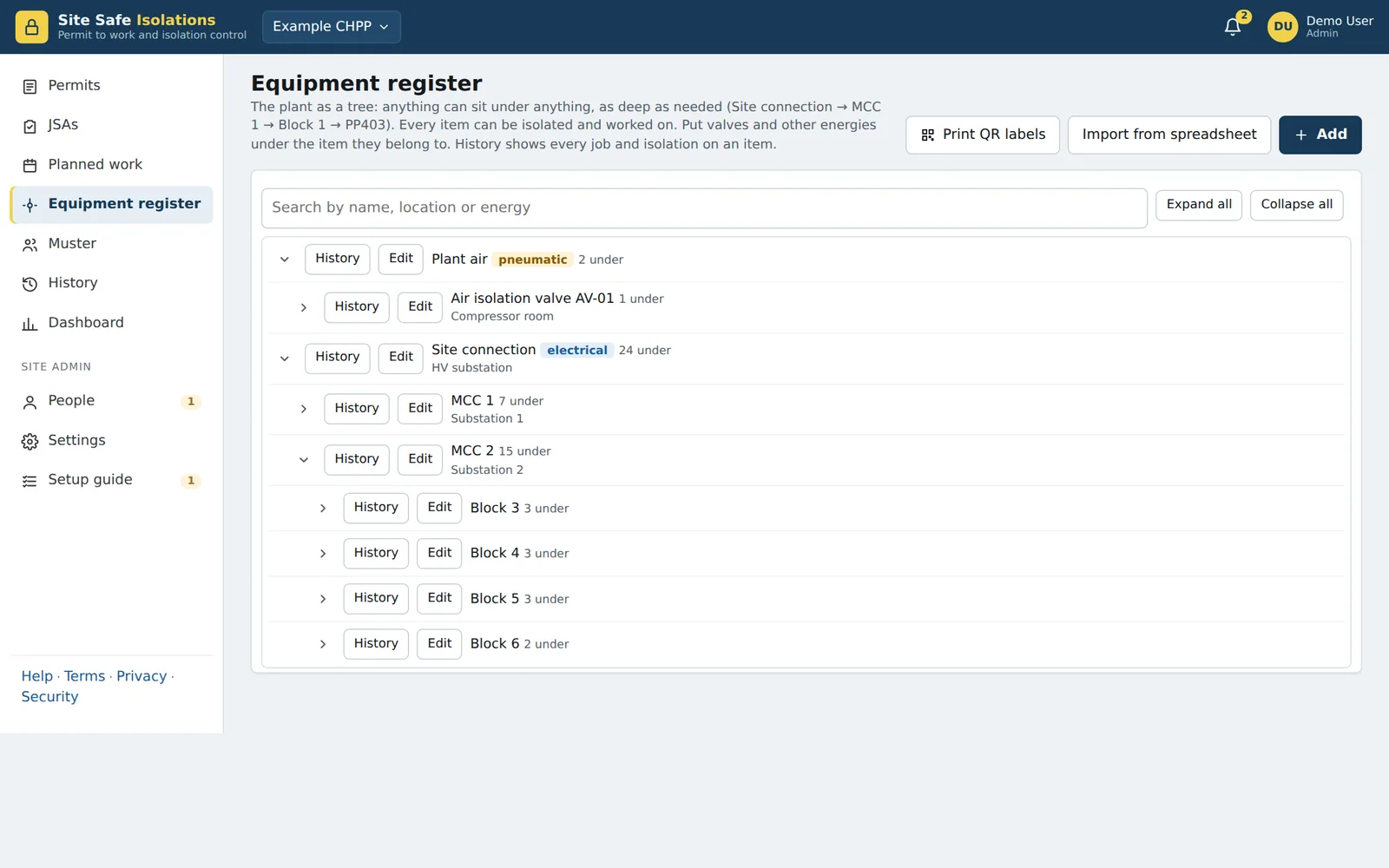
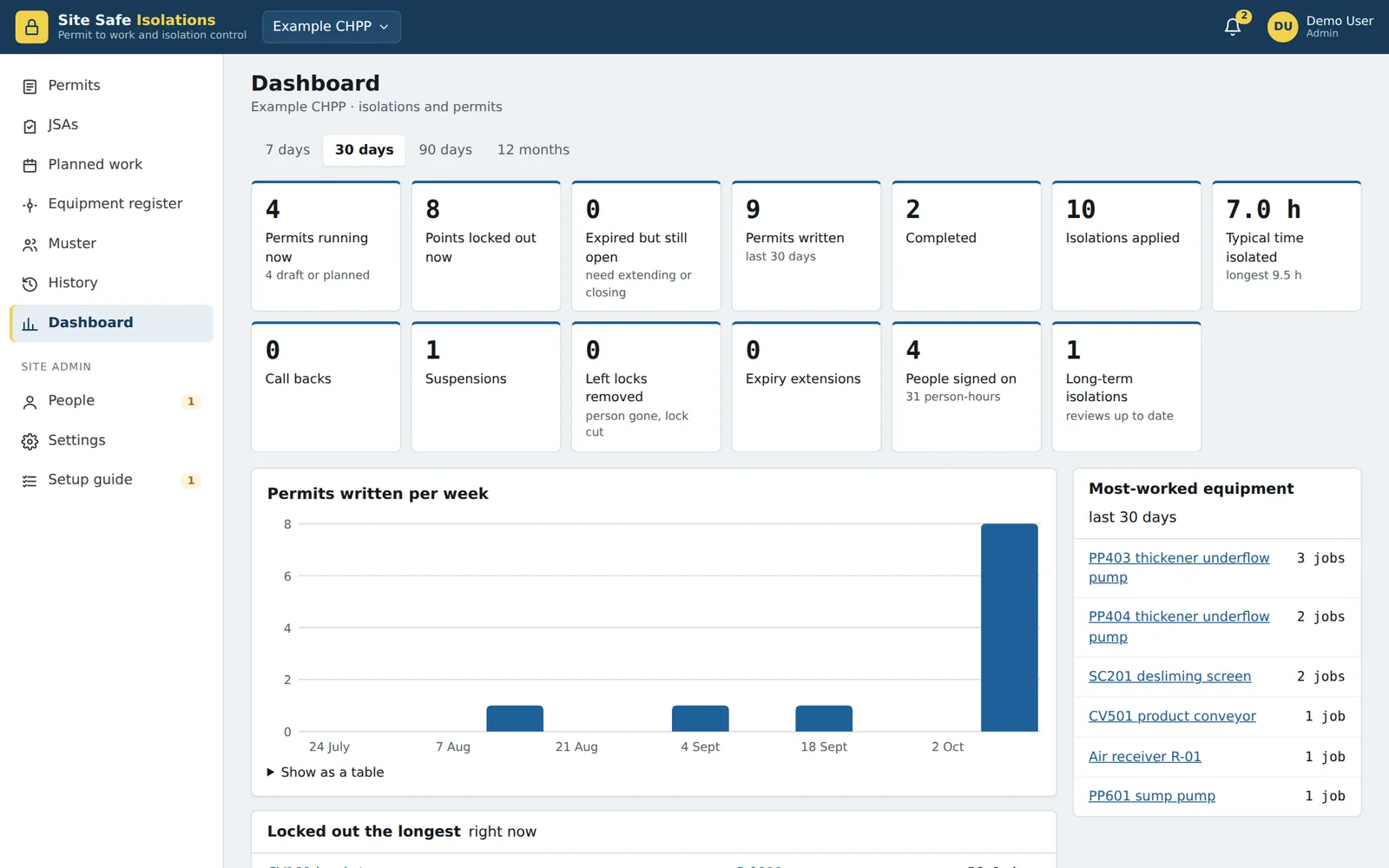
Set up in an afternoon
A site admin creates the site, imports the equipment register from a spreadsheet and prints the QR labels. People join with the site's QR code and photograph their swipe card. The admin checks each card, gives roles, and the site is running.
Rules your site chooses
Second-person verification, a photo for every lock, scan-to-lock, lock numbers recorded, locks off before or after a transfer, mobile numbers required, long-term review intervals, shift times and reminders. Each is a setting, and every change to it is logged.
Ask about early access
We are looking for sites and contractors who want to trial Site Safe Isolations in early access, and help shape how it works.
Tell us how you run permits and isolations now and we'll be in touch to set up a trial.
Peter Sampson, Bottletree Technology
admin@site-safe.com.au
Emerald, Queensland. We reply within one business day.