The prestart lives on the dash now.
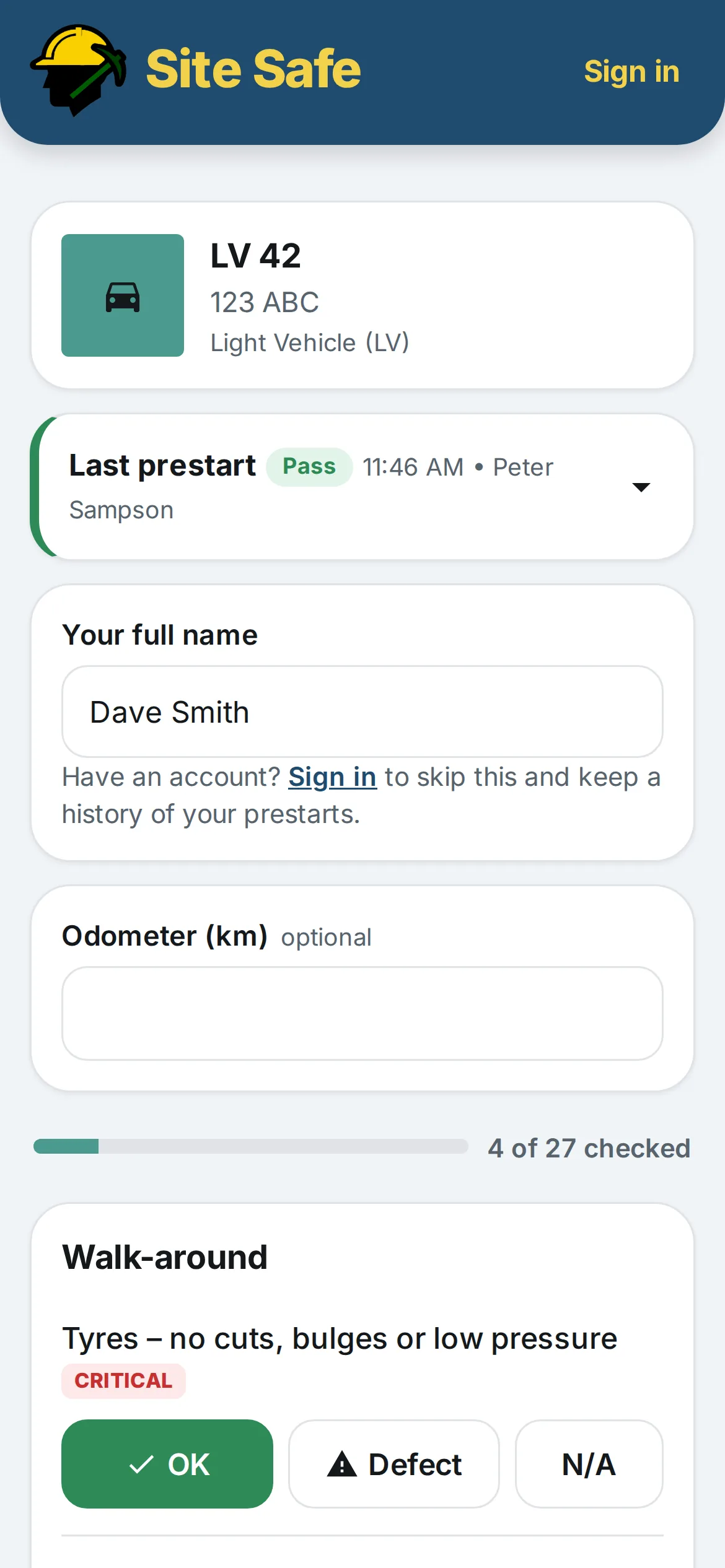
Put a Site Safe tag in every vehicle. Whoever is driving scans it, does the prestart on their phone, and the record is in your inbox before they are out of the car park.
Drivers don't need an account or the app. It works with no signal. Coming to the App Store and Google Play. Try the demo prestart or scan the tag.

How it works
Add your vehicles, print the tags
Call sign, rego, the checklist it uses. Print every tag on one A4 sheet, laminate them, stick them on the dash.
Drivers scan and tick
The phone camera opens the prestart. OK, defect or N/A for each item, a note and photo for any defect, odometer, declare, done.
The record arrives
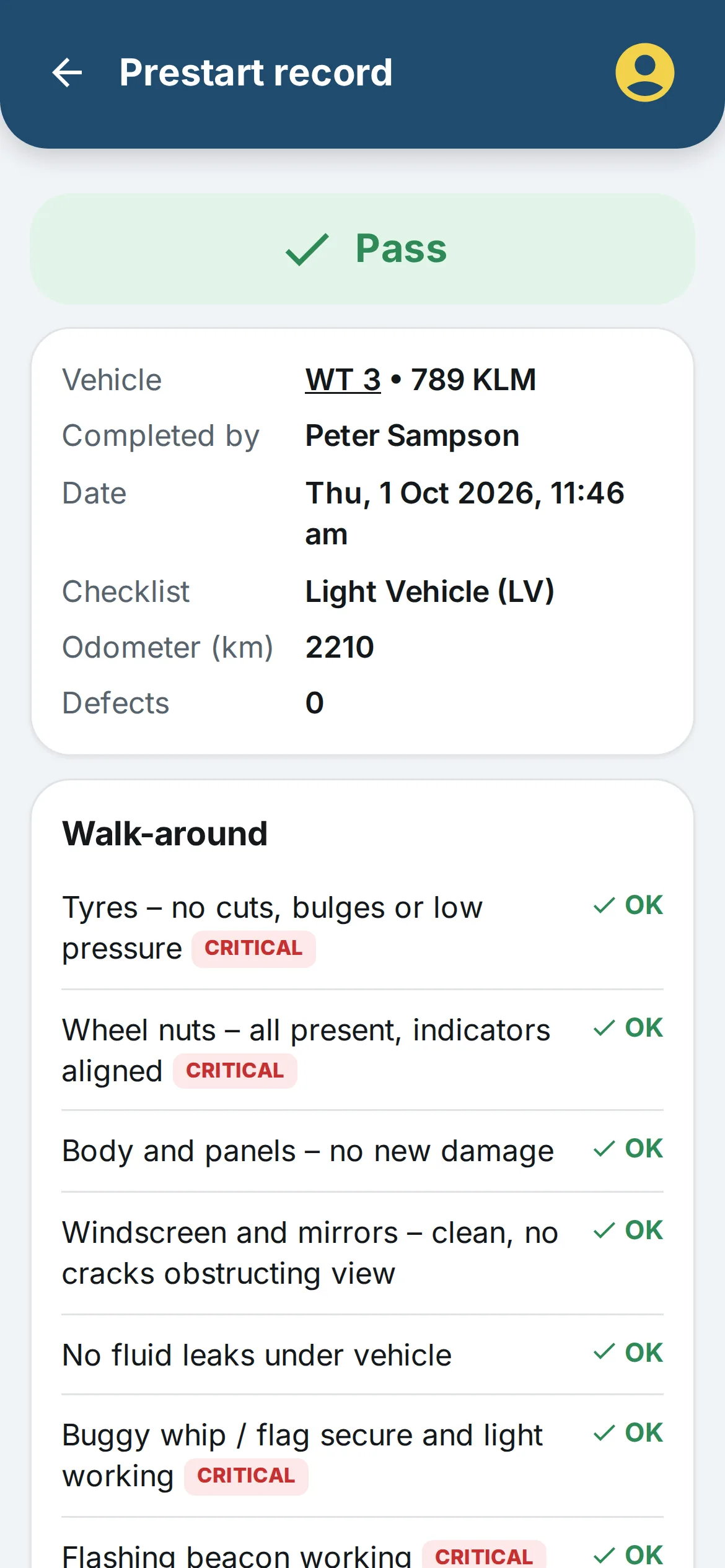
A PDF lands in the inboxes you nominate: every prestart, defects only, or failures only. Critical defects tag the vehicle out until someone clears it.
Built for the way a site actually runs
Prestarts, Take 5s and defect records in one place, written for Queensland mine sites.
- Prestart checklists
- Light vehicle, truck and plant checklists built in. Make your own with your items and critical checks.
- Defects and tag-out
- A critical defect fails the prestart and marks the vehicle out of service. Fix it, record it, return it to service.
- Take 5
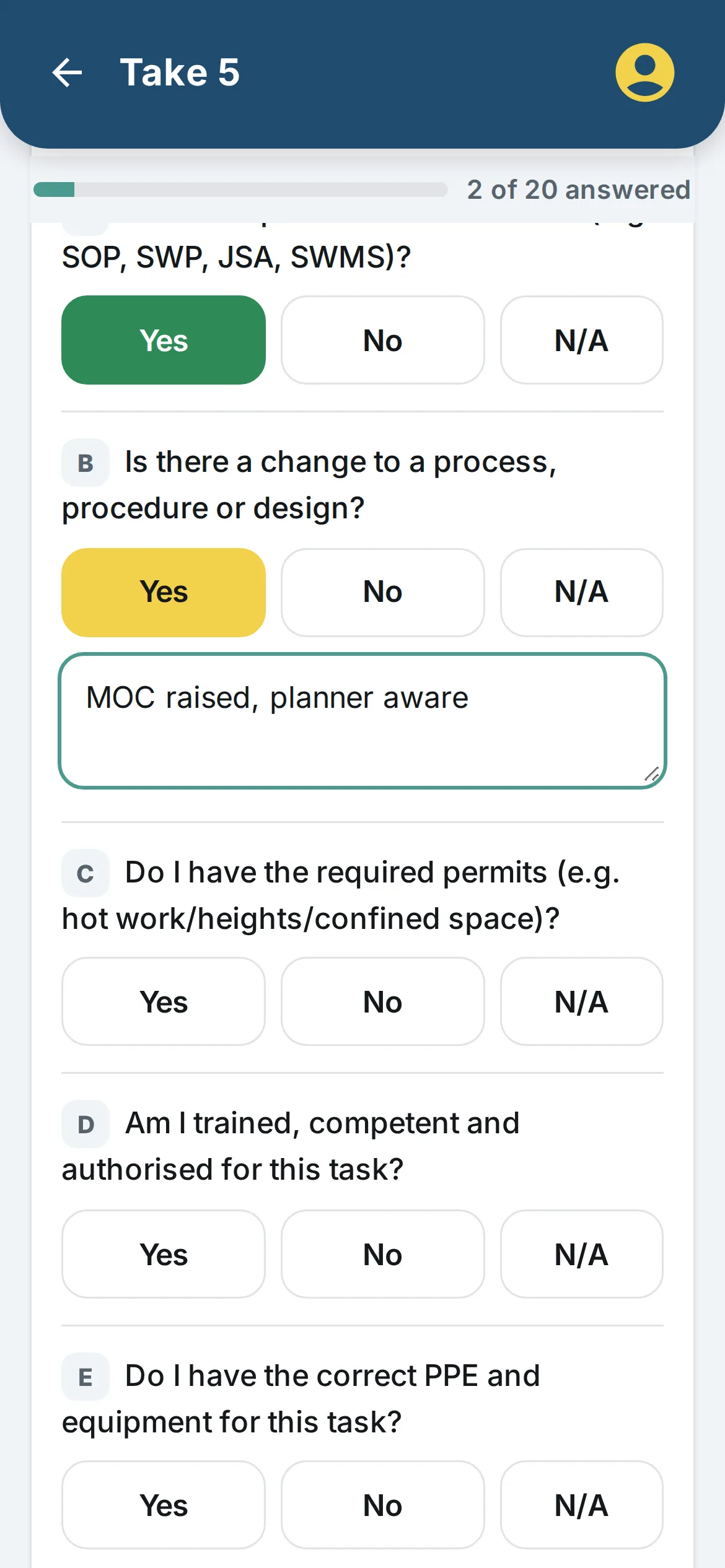
- The standard card, question for question, with the supervisor's name and a hazard and control written in for any answer that needs one.
- No signal, no problem
- Prestarts and Take 5s save on the phone underground or out past the towers, and send themselves when signal comes back.
- Service reminders
- Set the service interval in kilometres or days and get an email before it falls due.
- Your records
- Every prestart and Take 5 as a PDF, a monthly report, and a CSV export for the safety department.
Running a site? Put your Take 5 on the crib room door.
Make your site's own Take 5 or prestart checklist, print its QR code, and every one that gets completed is emailed to your admin team. Contractors scan it with whatever phone they have.
- Site checklists on contractor vehicles
- A contractor adds your checklist to their vehicle and gets a second tag for the dash. Their prestarts on your checklist come to you.
- Nothing to roll out
- No accounts to create for the workforce. The QR code is the rollout.
Cheaper than the books it replaces
A duplicate prestart book is about $20 and lasts 50 prestarts. Here is what that costs per vehicle, next to Site Safe.
| How the vehicle is used | Prestarts a year | Books | Paper, per vehicle | Site Safe, per vehicle |
|---|---|---|---|---|
| 5 days a week, one shift | 260 | 6 | about $120 | $59.99 |
| 7 days, one shift | 365 | 8 | about $160 | $59.99 |
| 7 days, two shifts | 730 | 15 | about $300 | $59.99 |
Paper assumes a 50-page duplicate light vehicle prestart book at about $20, which is the going rate. Site Safe is the in-app add-on paid yearly; fleet plans work out cheaper again.
Pricing
Only the number of vehicles changes. Every feature is in every plan, and drivers never pay.
Free
- Unlimited prestarts and Take 5s
- Emailed PDF records
- Your own checklists and Take 5 forms
Extra vehicles
- $59.99 a vehicle paid yearly
- Add or drop vehicles any time
- Everything in Free
Fleet plans
- Crew, 10 vehicles, $49
- Fleet, 25 vehicles, $119
- Site, 60 vehicles, $269
Questions people ask first
Do the drivers need the app?
No. The tag opens the prestart in the phone's browser. The driver types their name once, and it's remembered on that phone. A driver with a Site Safe account gets a history of their own prestarts as well.
What happens when there is no signal?
The prestart or Take 5 saves on the phone with the time it was completed, and sends itself when the phone next sees signal. Vehicles and checklists you've opened before load without signal too.
Who gets the records?
You choose up to five email addresses per vehicle and whether they get every prestart, defects and failures only, or failures only. Each email carries the PDF. Everything is also in the app, with CSV export and a monthly report.
Is it a replacement for site-approved paperwork?
The checklists mirror the standard light vehicle, truck and plant prestarts and the Take 5 card, and you can rebuild your site's own form item for item. Whether a digital record is accepted is a decision for each site's safety and health management system, so check with the SSE before you retire the books.
Where is the data kept?
In Google Cloud's Sydney region, under your account. You can export everything, and you can delete the account yourself from inside the app.