 Site Safe
Site Safe Shift Log
Hand over a shift, not a spreadsheet.
Site Safe Shift Log replaces the Excel shift log in a coal handling and preparation plant. Lab results come in straight from the lab's email, every control room change sits under the result it answered, and the next crew starts with the whole shift in front of them. Each plant gets its own setup: your results, targets, check sheets, crew and reports.
The demo is a sample night shift at an example plant, with made-up lab results, crew and comments. It runs in your browser and nothing is saved.

A night shift in Shift Log
The log follows the shift the way a crew works it, from the handover in to the handover out. Every entry is timed, named and kept.
Handover in
The crew sees reminders and open plant issues from the last shift, confirms the feed going into the plant and fills the crew positions.
Lab results land
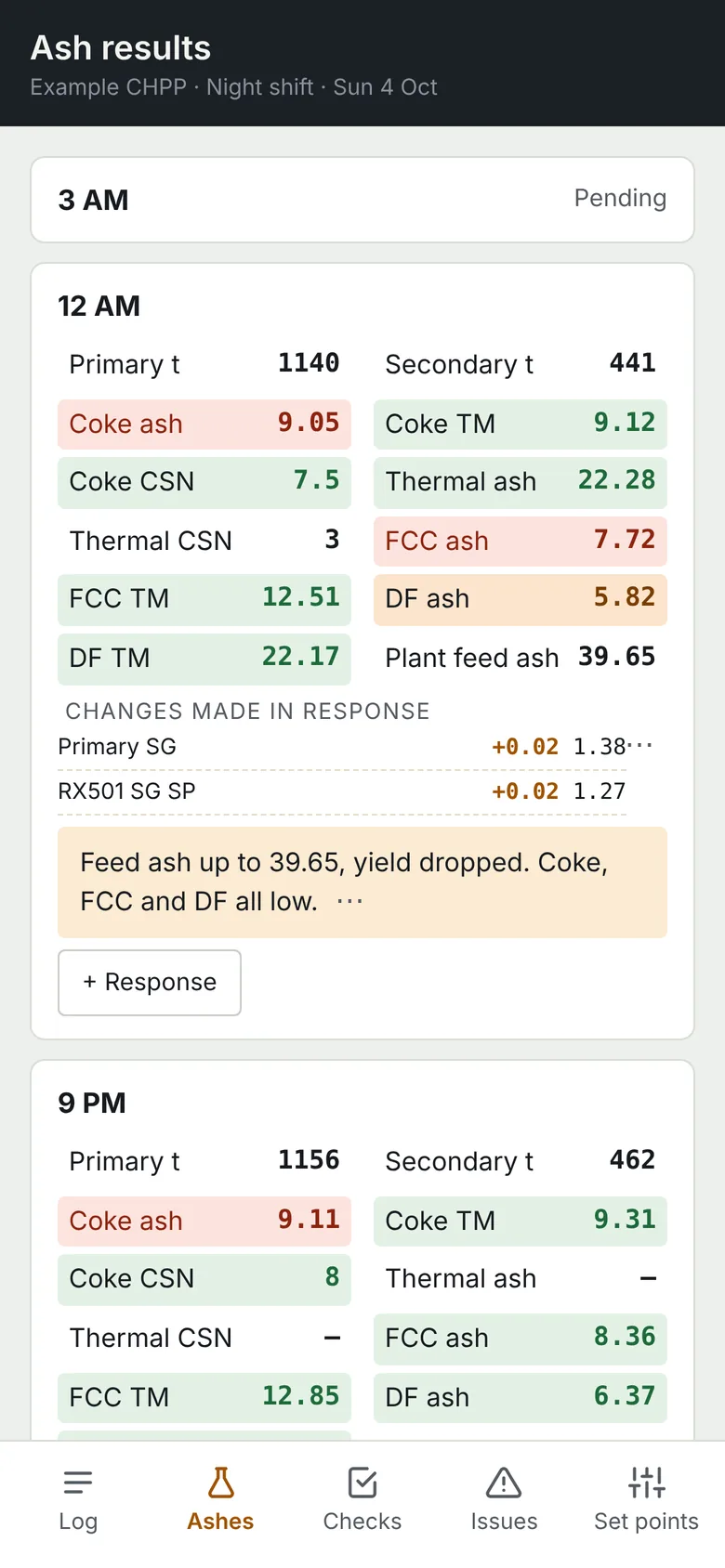
Forward the lab's results email and Shift Log reads every sample from the spreadsheet. Each result is coloured against the target in force.
Control room responds
The change goes in under the sample it answered: parameter, plus or minus, new value. Red results open your TARP.
Plant rounds
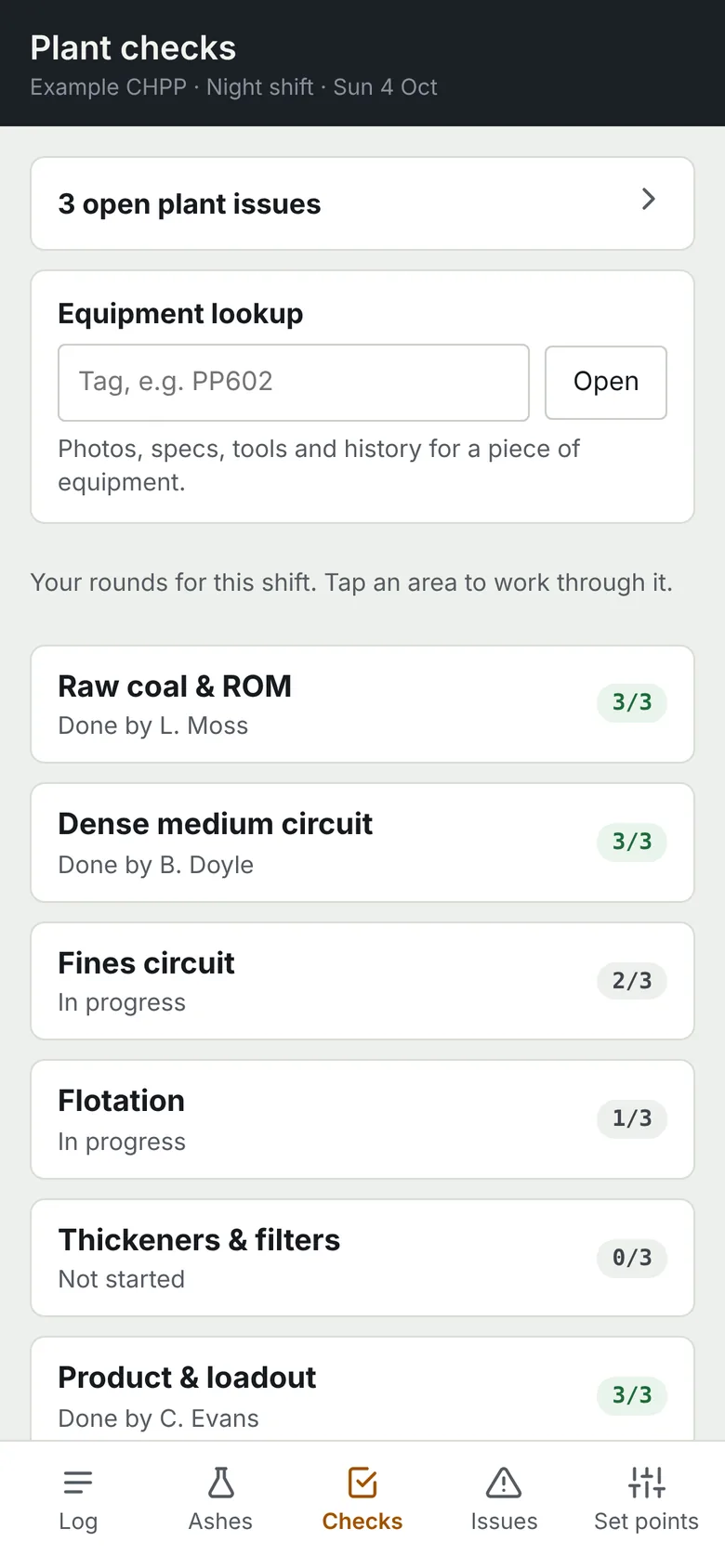
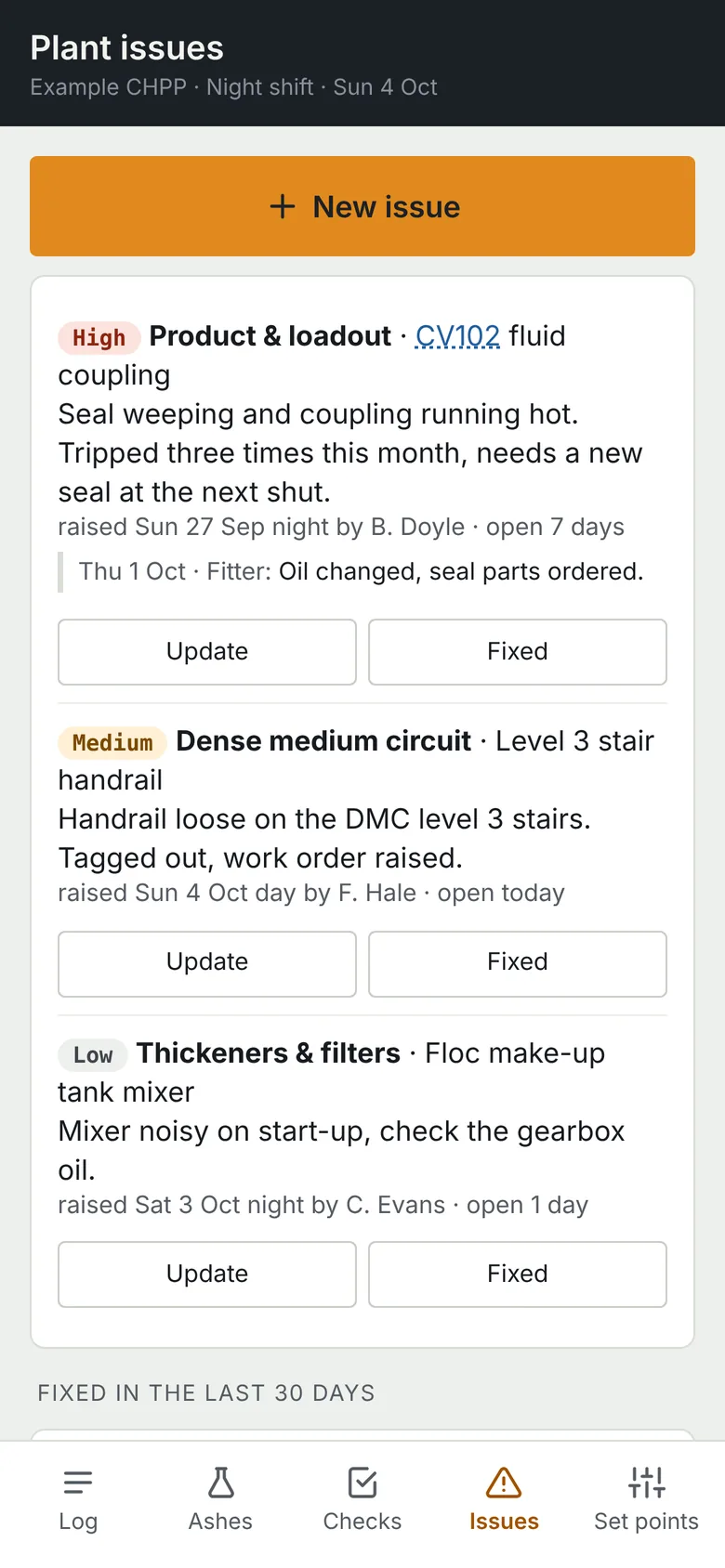
Operators work through check sheets on their phones, with how-to-check guidance and photos. Anything wrong becomes a plant issue the next crews can see.
Train loaded
Connote, start, finish and tonnes, with load time and capacity checked against your KPIs.
Handover out
The next crew walks through the shift on the big screen, with open plant issues and reminders carried over. Entries lock an hour after the shift ends, and the shift exports to Excel in your current shift log layout if you still need it.
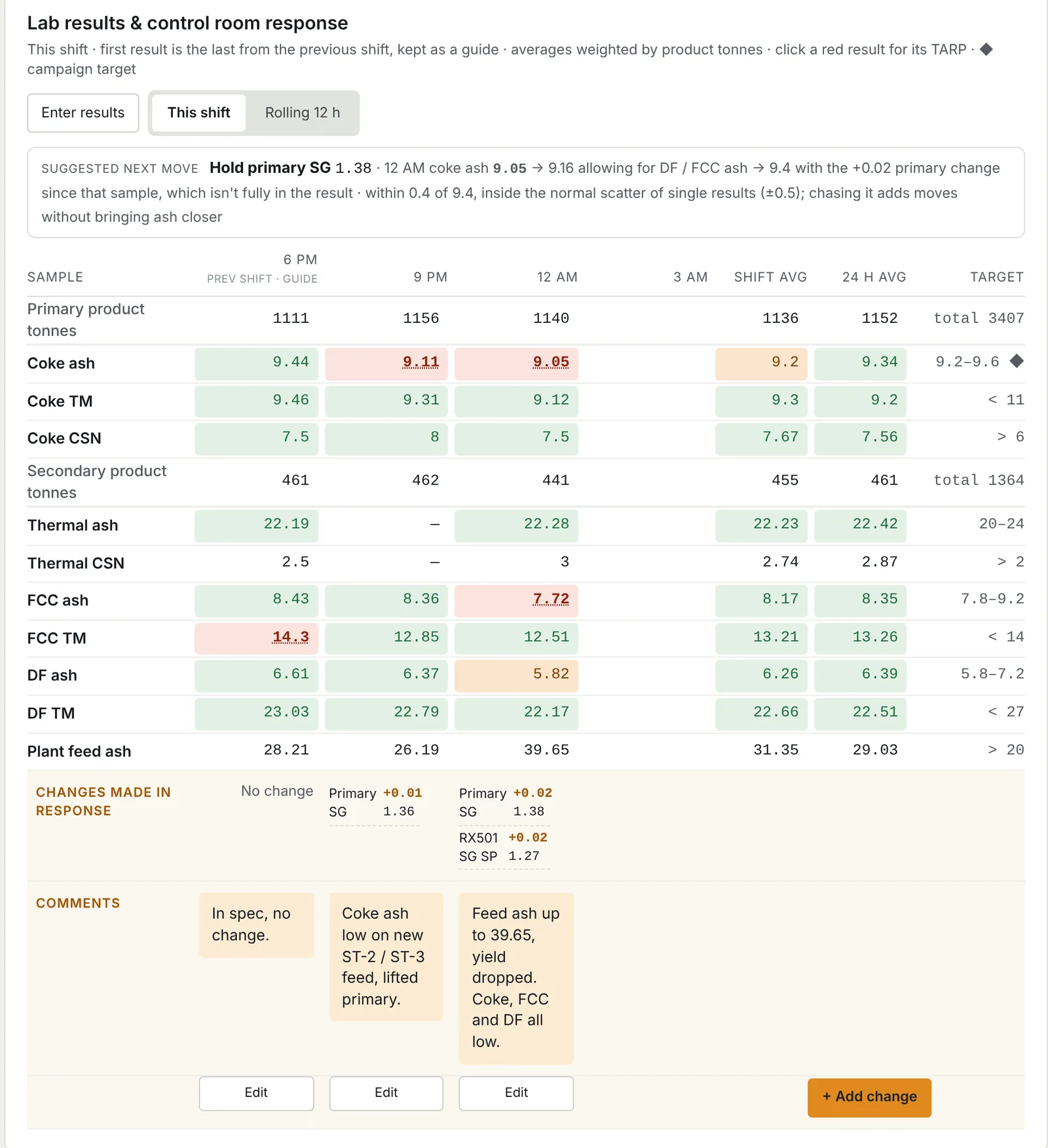
Every result, and what was done about it
Four samples a shift, with the previous shift's last sample kept as a guide. Under each one sit the changes the control room made and why.
- Coloured against your targets
- Green, orange and red against the targets and tolerances in force at the time.
- A suggested next move
- After each result, allowing for changes already made since that sample.
- Results without retyping
- From the lab's email, an uploaded file or typed in. Shift and 24-hour averages weighted by product tonnes.
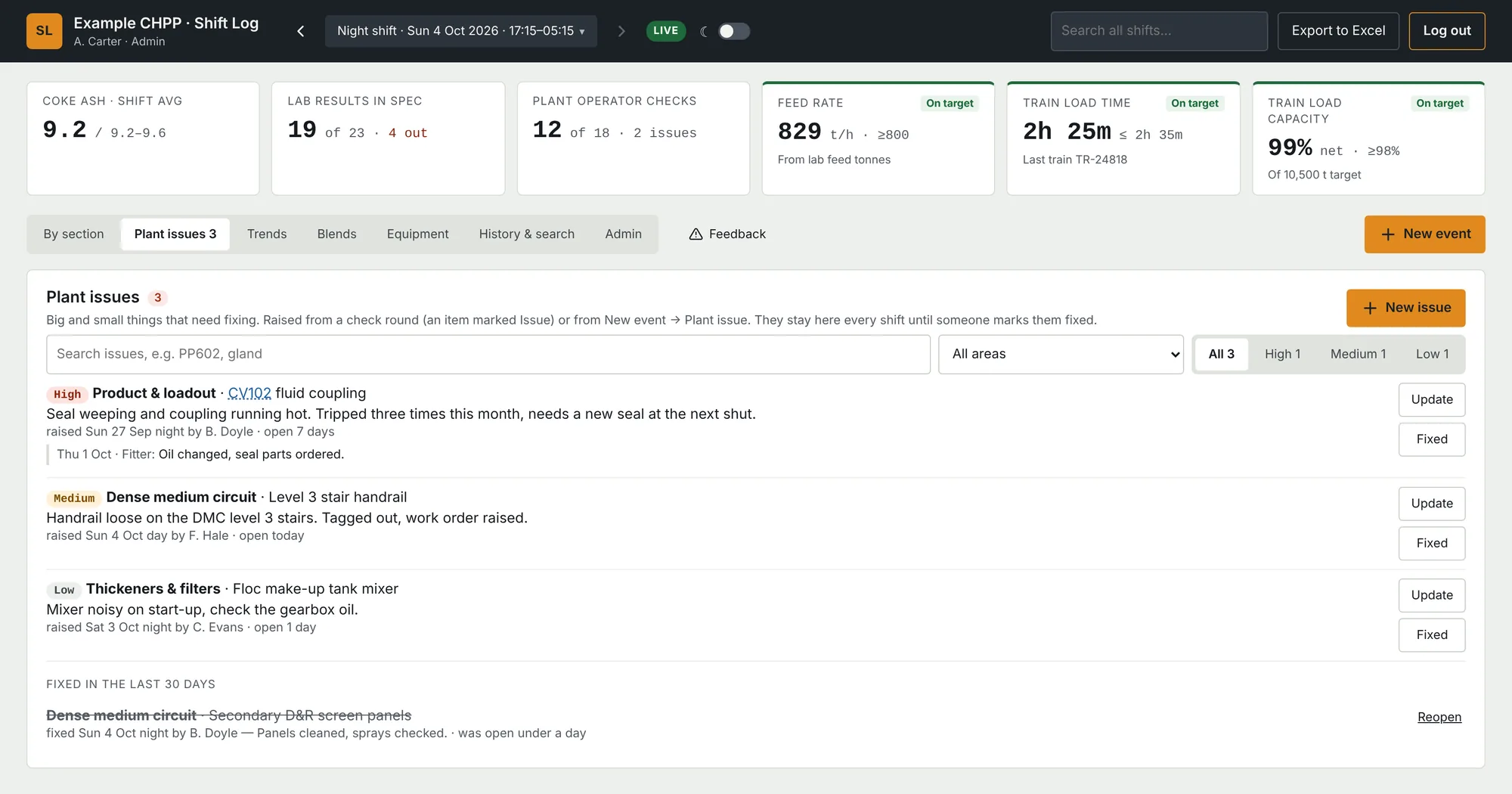
Plant issues that don't get lost at handover
Anything that needs fixing, raised from a check round or logged as it happens. It stays on every shift's list, with its priority and updates, until someone marks it fixed.
- Equipment history by tag
- Every mention, issue and photo for a conveyor, pump or cyclone, in order.
- Filter by area and priority
- So the shutdown list writes itself.
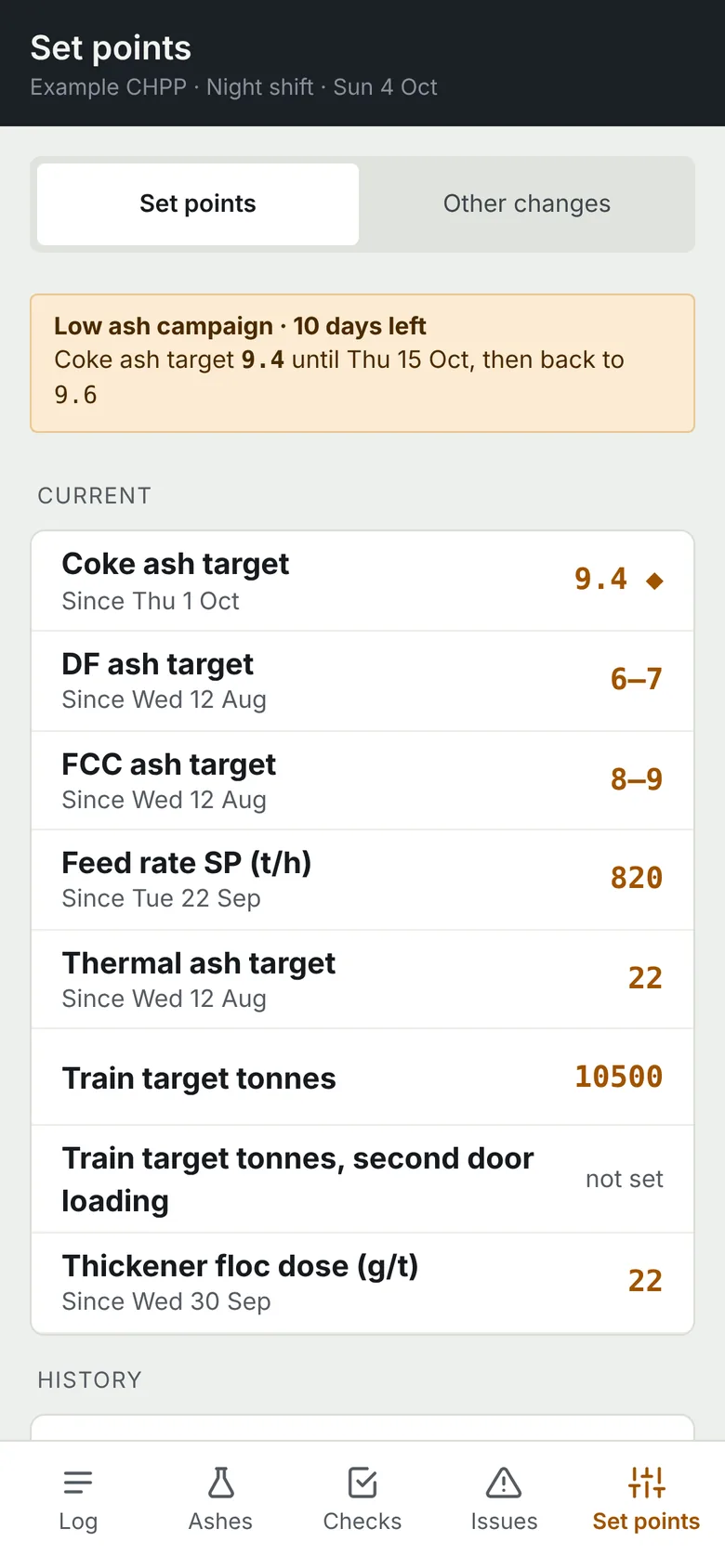
Targets that carry across shifts
Supervisors change targets and control room limits with a reason attached, and results are checked against whatever was in force at the time.
- Campaigns that end themselves
- A low-ash run for a cargo goes back to normal on its end date.
- Who, when and why
- Every change kept, with custom trackers for anything else you set and adjust.
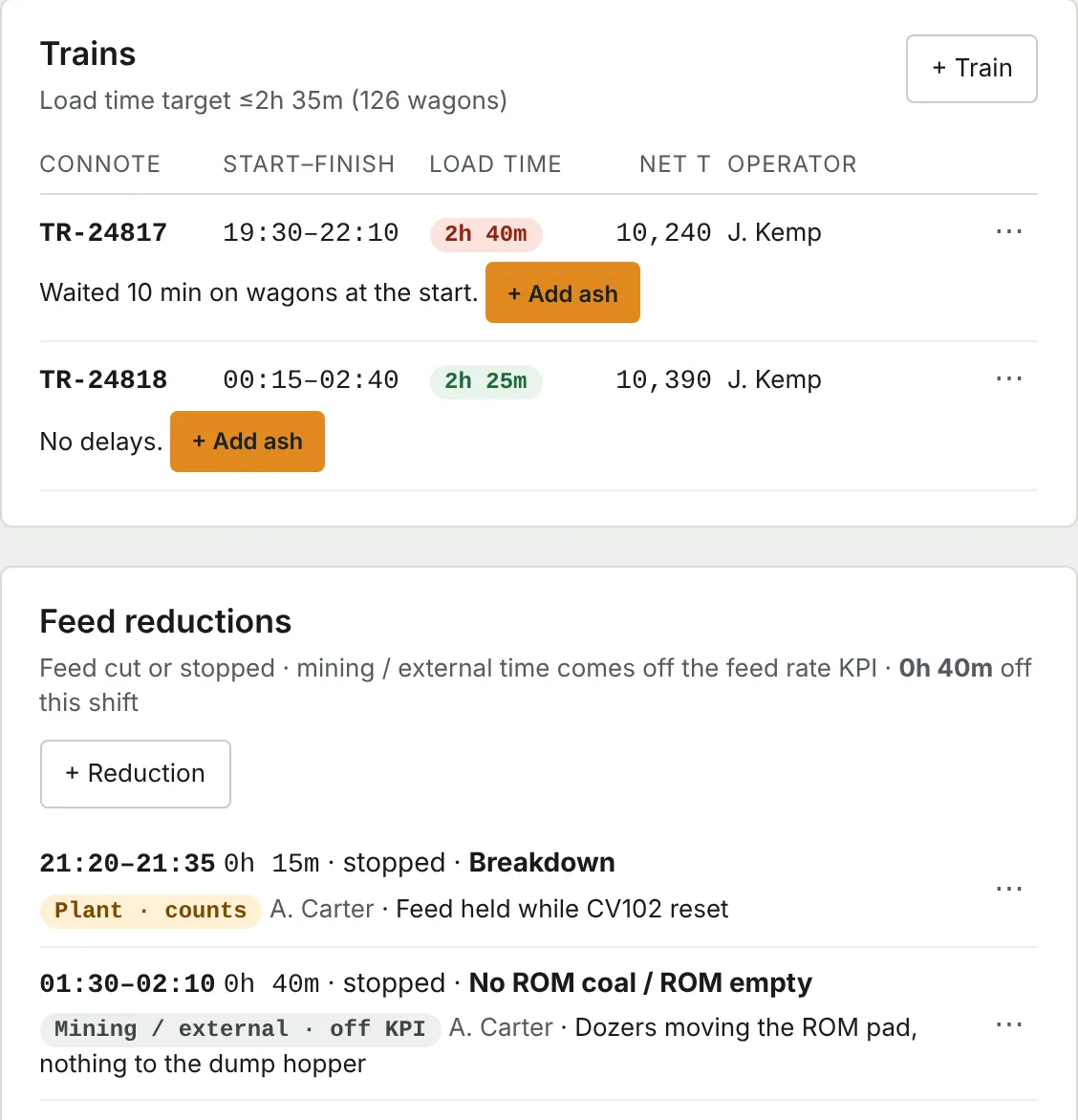
Trains and feed reductions, counted properly
Each train's connote, load time and tonnes are checked against your targets. Feed cuts and stops are logged with a cause, so time lost to mining or external delays comes off the feed rate KPI instead of counting against the plant.
Learn from every wash
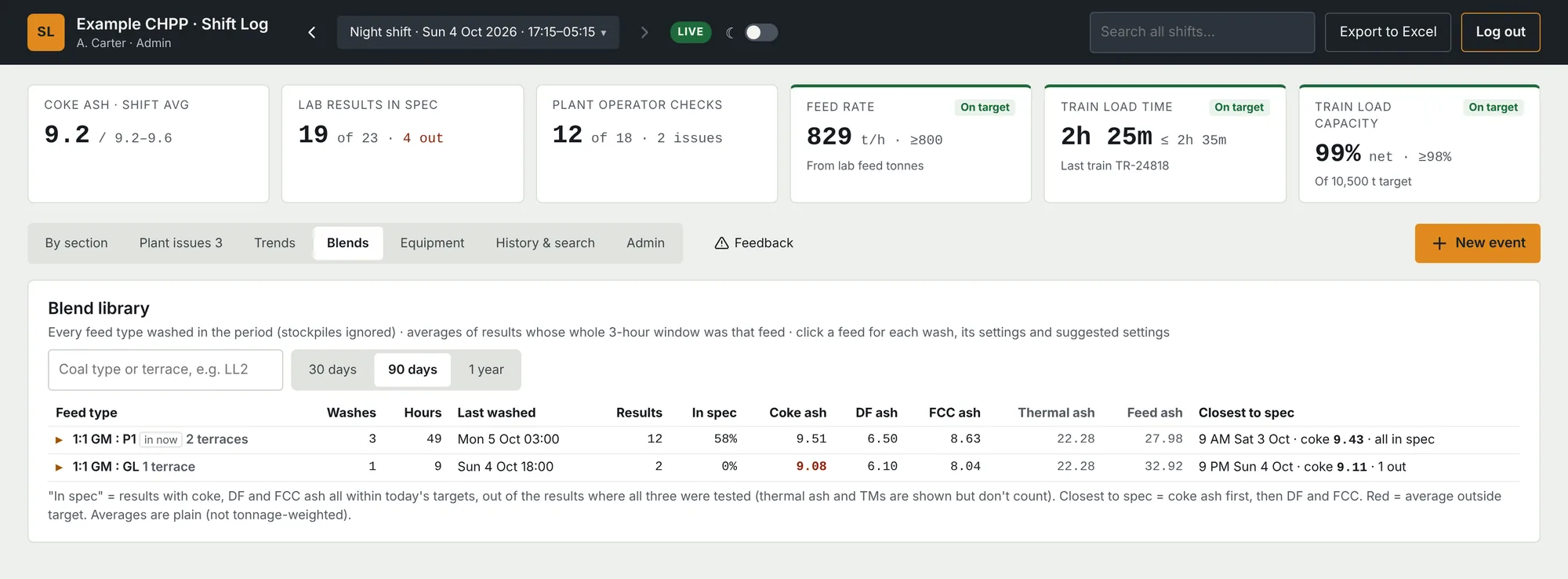
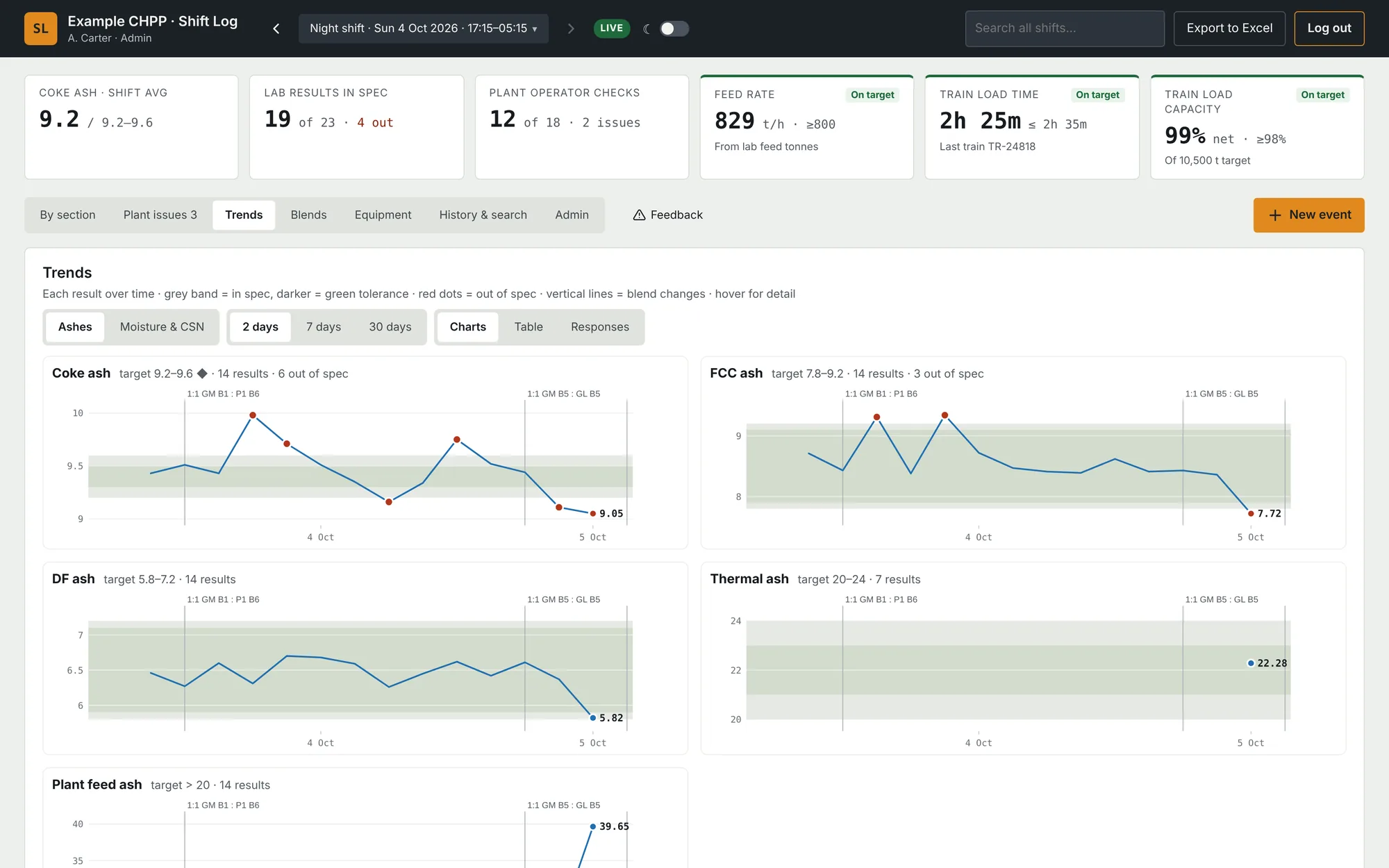
The blend library groups every feed type you've washed with its results, how often it came in on spec and the closest-to-spec run. Open a feed to see the settings used each time and the settings suggested for the next one. Ash and moisture trends sit beside it, with out-of-spec points and feed changes marked.
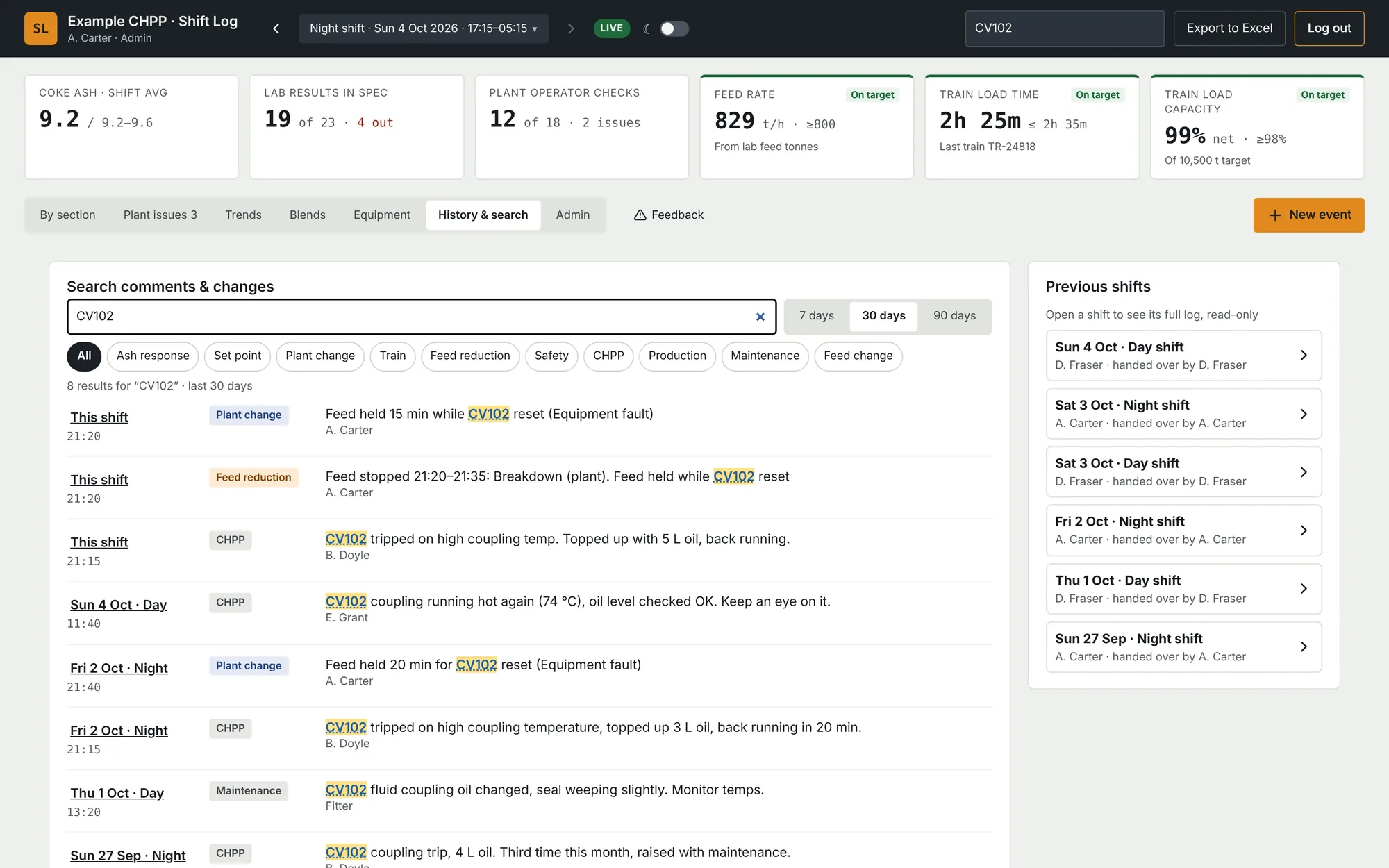
Search every comment and change across past shifts, and open any previous shift exactly as it was handed over.
Out in the plant
On a phone, Shift Log is just what an operator needs away from the control room. Prestarts and Take 5s done in Site Safe Forms show on the shift page, so the control room can see who's done theirs.
From Excel to Shift Log
The switch-over is built so nobody loses a record and nothing changes for people who still rely on the spreadsheet.
Walk through your log
We go through your current shift log, the lab's results file, check sheets and targets with you.
Configure
We set Shift Log up to match, and import past months so history and search work from the start.
Trial alongside Excel
Crews use Shift Log while each shift exports to your existing spreadsheet layout.
Go live
Your admins approve users and set roles: Admin, Supervisor, Operator, Lab or View only. We look after hosting, updates and support.
Book a demo
Shift Log is priced per site. Every plant is set up differently, so we quote after a walkthrough of your current shift log.
Tell us about your plant and we'll arrange a time to show you Shift Log with example data, on site or on a Teams call.ing plant.
Want a look first? Try the demo: a sample night shift with made-up data, right in your browser.
Peter Sampson, Bottletree Technology
admin@site-safe.com.au
Emerald, Queensland. We reply within one business day.